KWL Chart Presentation Template
KWL Learning Reflection Presentation Template
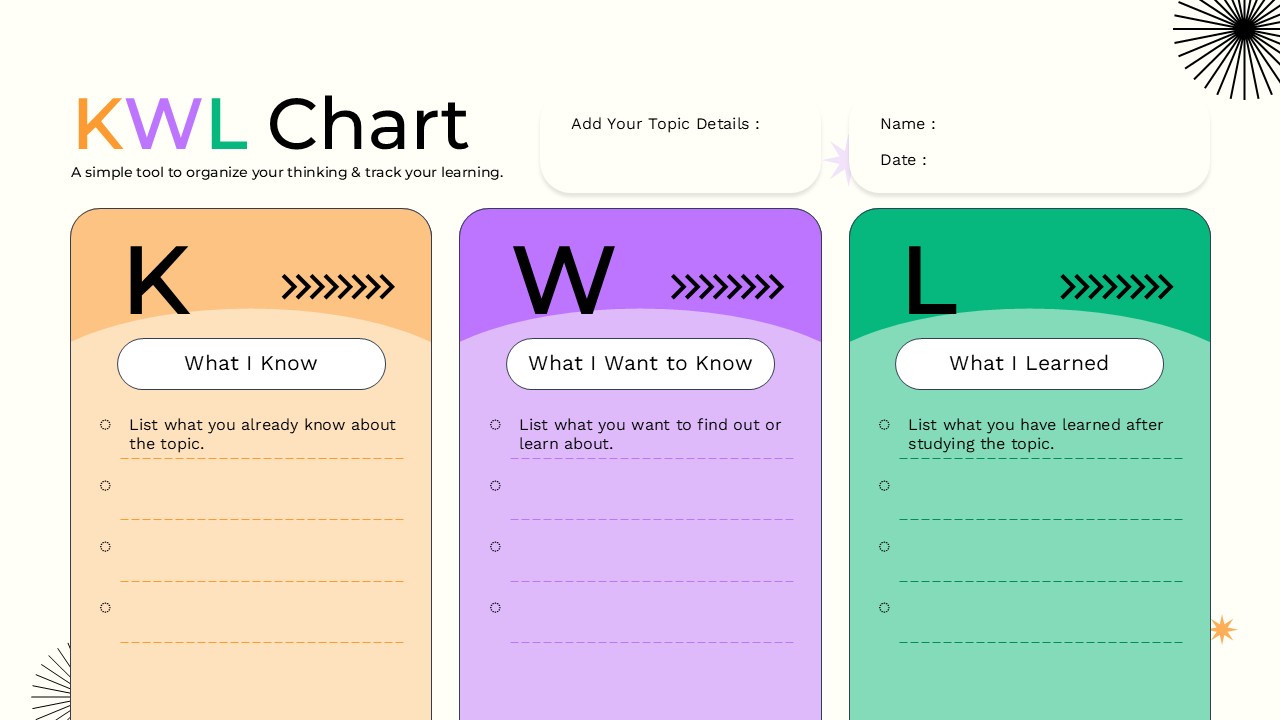
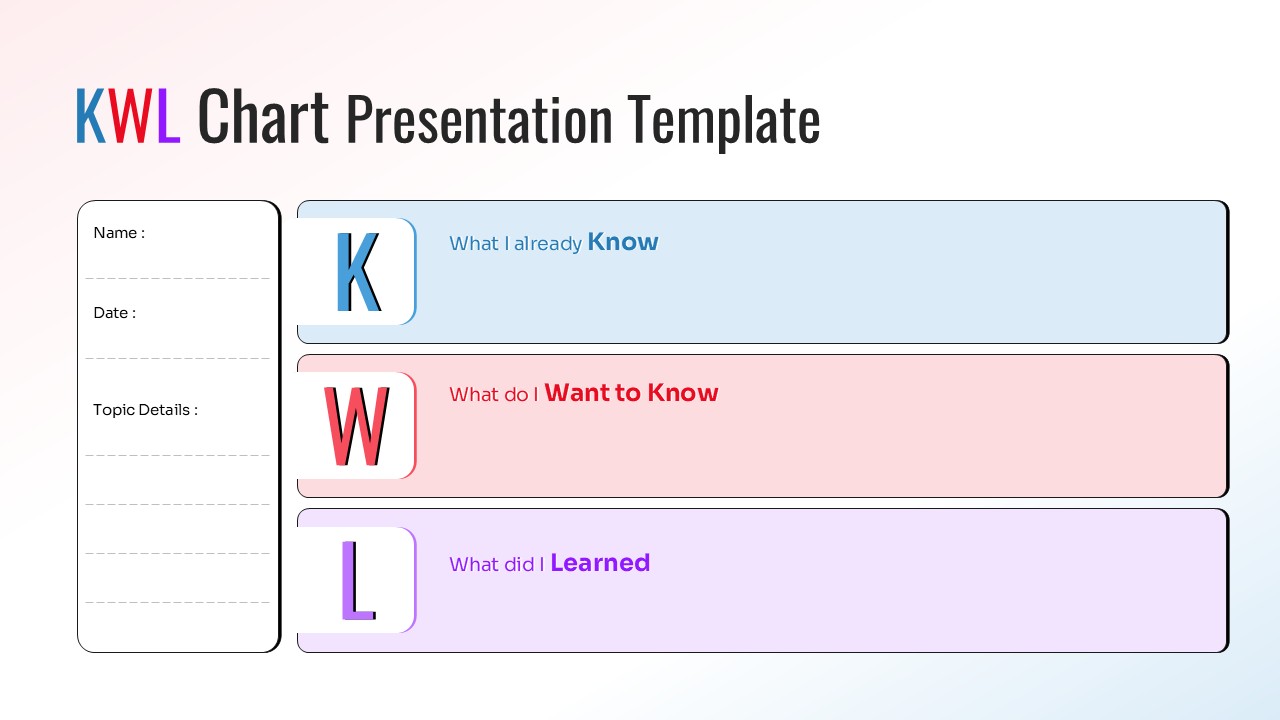
The KWL Chart Presentation Template is a clear visual learning tool designed to help students organize what they already know, what they want to discover, and what they have learned. Based on the KWL learning framework, the slide separates information into three simple sections: Know, Want to Know, and Learned. A dedicated area for the name, date, and topic details also makes the layout practical for classroom activities, assignments, workshops, and educational presentations. The structured design keeps information easy to follow while giving learners space to record their thoughts and reflections. This KWL Chart works well in PowerPoint and Google Slides for interactive lessons, study activities, and knowledge-building exercises.
- Three-part KWL structure covering Know, Want to Know, and Learned.
- Dedicated fields for name, date, and topic details.
- Editable text areas for adding questions, ideas, notes, and learning outcomes.
- Clean visual hierarchy that separates each stage of the learning process.
- Compatible with PowerPoint and Google Slides for flexible presentation use.
- Suitable for classroom discussions, individual activities, and group learning sessions.
Who is it for
This KWL Chart is useful for teachers, students, trainers, educators, tutors, workshop facilitators, and presenters. It can support classroom lessons, research activities, training sessions, brainstorming exercises, reading assignments, and reflection-based discussions. The editable PowerPoint and Google Slides layout makes it easy to adapt the content to different subjects, age groups, and presentation requirements.
See more

Aspect Ratio
16:9Item ID
SKT04775


FAQs
You May Also Like These Presentation Templates


- Free
- Free
- Free
- Free
- Free

- Free
- Free
- Free
- Free
- Free
- Free
- Free
- Free
- Free
- Free
- Free
- Free
- Free
- Free
- Free
- Free
- Free
- Free

- Free
- Free
- Free
- Free