Porter’s Value Chain Template for PowerPoint & Google Slides
Businesses need a clear way to show how their internal activities create value. A structured visual makes it easier for teams to identify where value is added across operations. The Porter’s Value Chain Template provides exactly that. It gives presenters a ready-to-use slide layout for mapping business activities in a professional format.
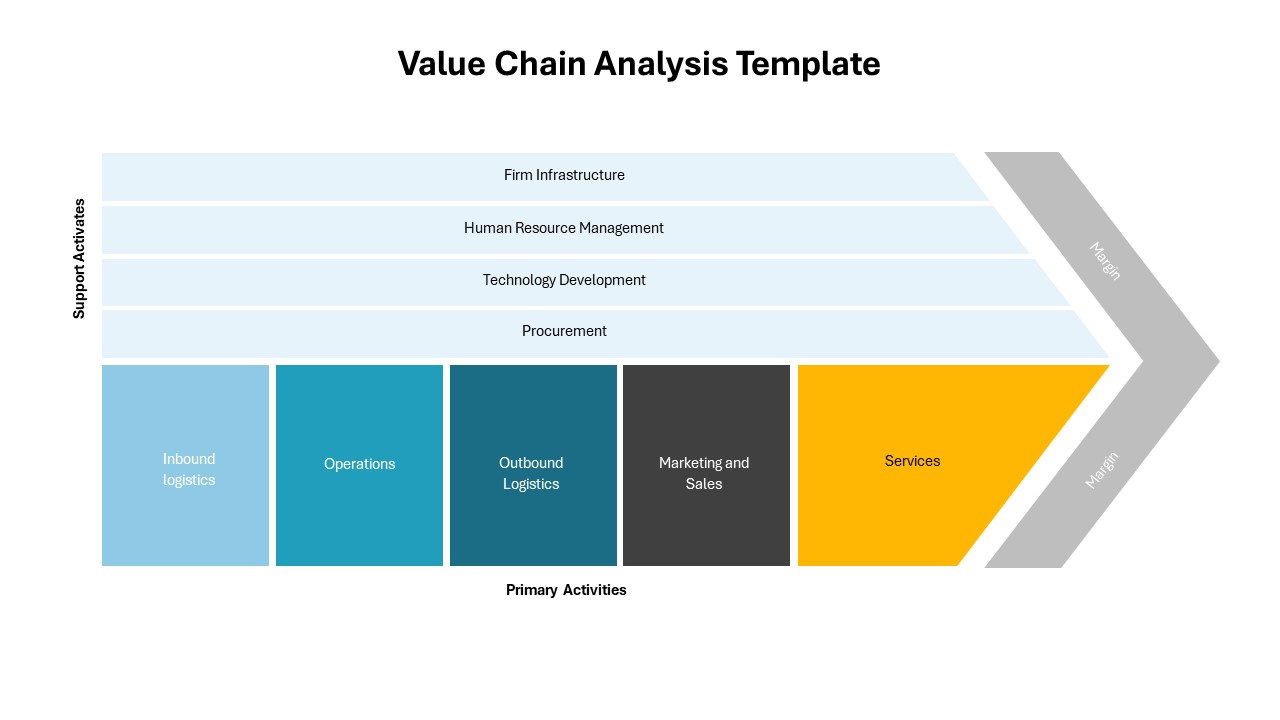
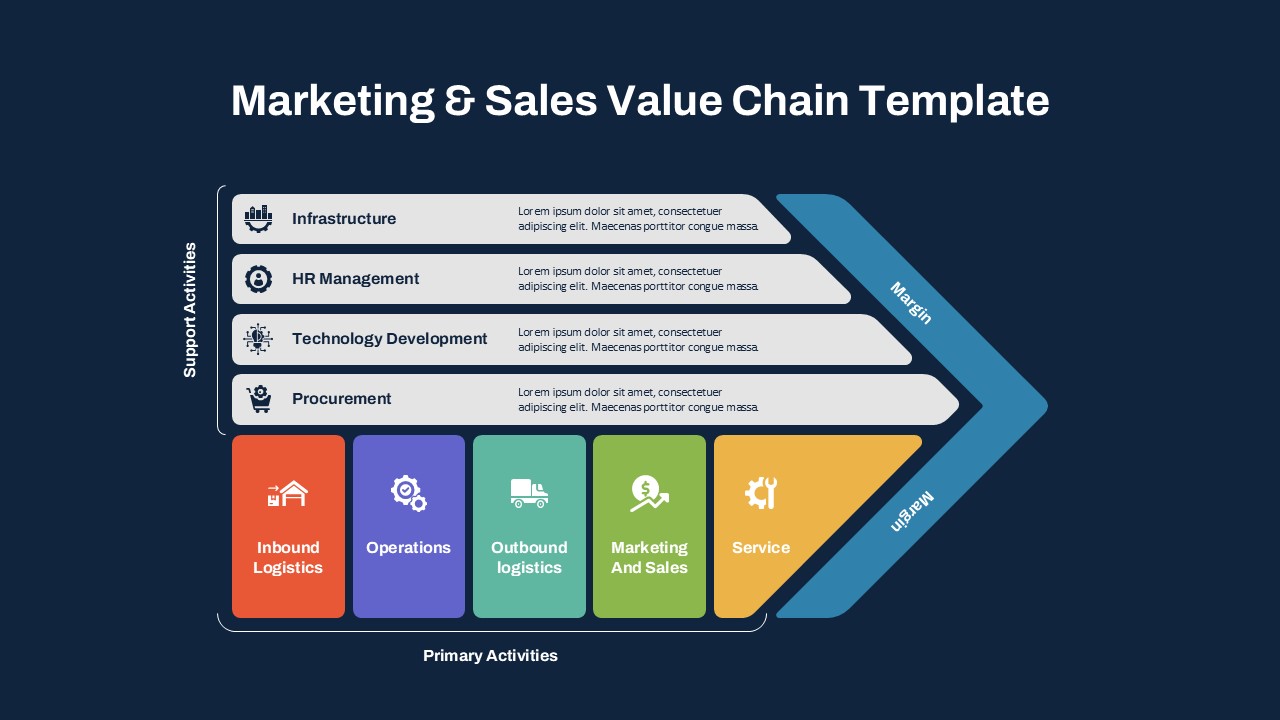
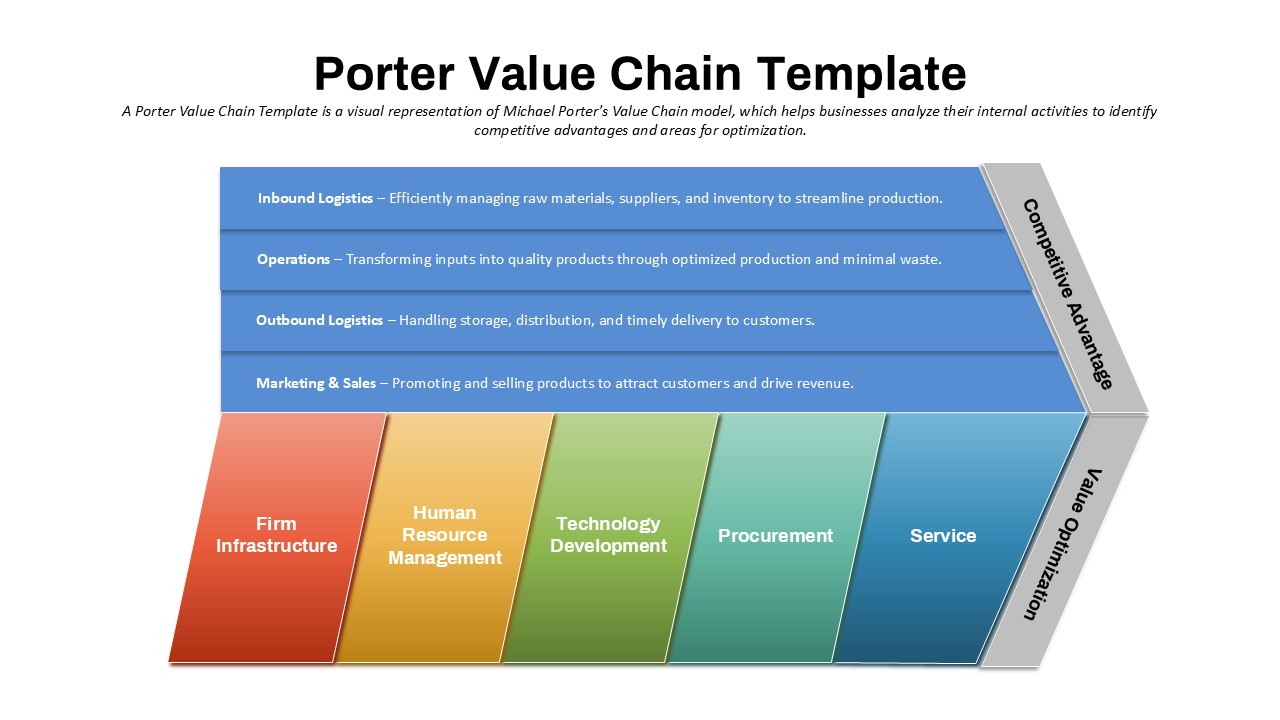
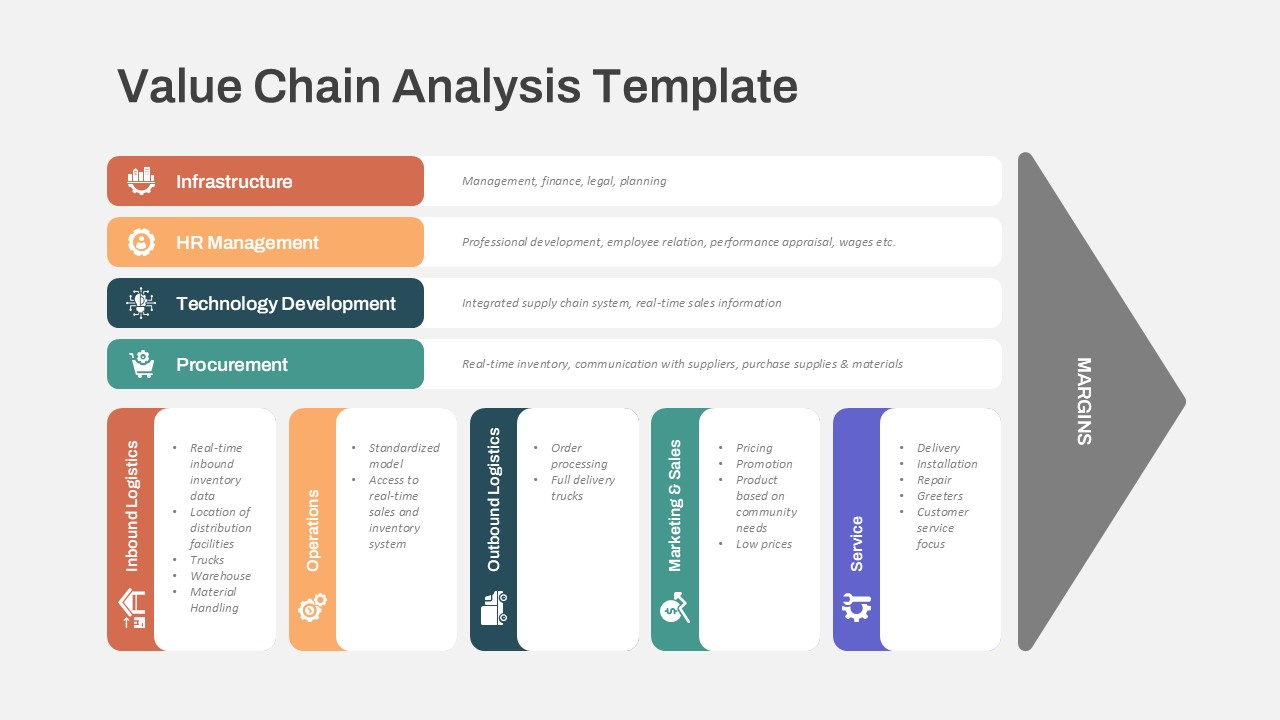
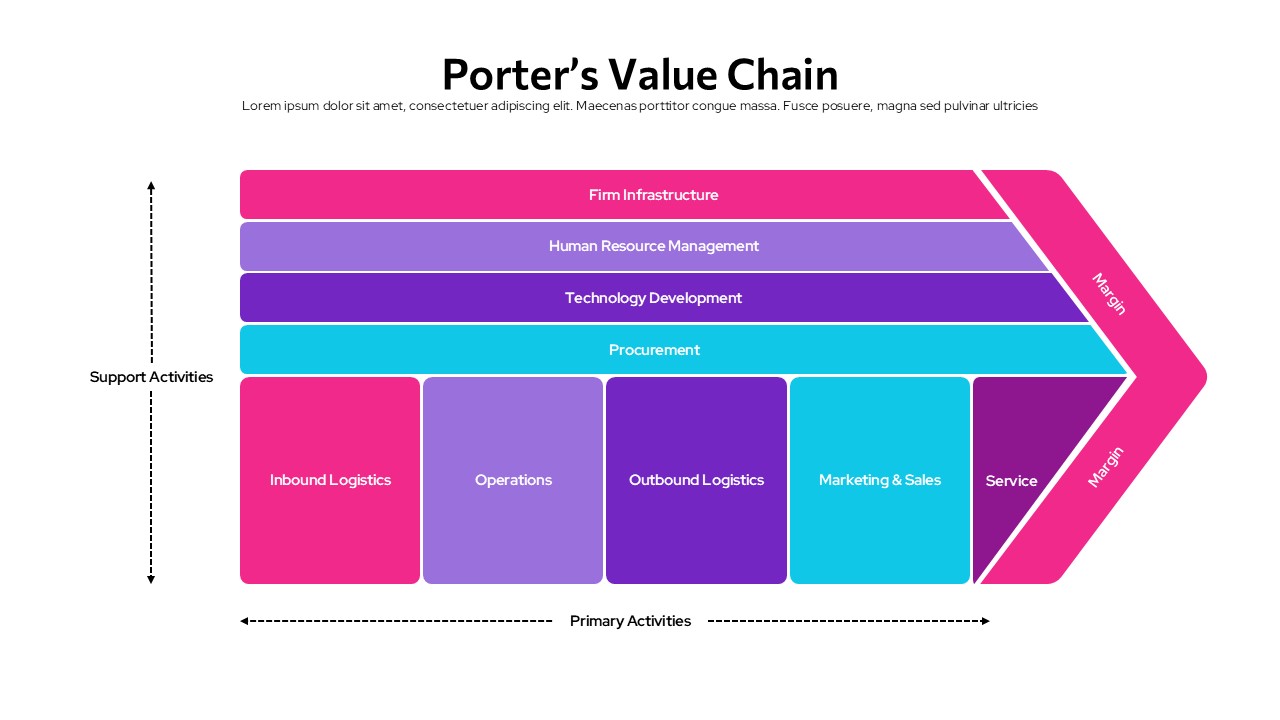
This template features the classic value chain diagram on a white background. It separates support activities from primary activities using clearly labeled horizontal and vertical sections. Support activities include Firm Infrastructure, Human Resource Management, Technology Development, and Procurement. Primary activities include Inbound Logistics, Operations, Outbound Logistics, Marketing and Sales, and Service. A Margin indicator appears on the right side of the diagram.
The template is available in both PowerPoint and Google Slides. It suits business analysts, strategy consultants, MBA students, and corporate teams. Presenters can use it to map internal operations, support strategic planning discussions, and communicate business activity structures to professional audiences.
What Is This Porter’s Value Chain Template?
The Porter’s Value Chain Template is a single-slide presentation layout built around a structured activity diagram. It organizes business functions into two clearly separated groups. Support activities run horizontally across the top four rows of the diagram. Primary activities appear as five vertical blocks along the bottom row. A pink arrow on the right side represents the Margin outcome.
The slide uses a white background with a colorful block layout. Each activity section uses a distinct color. Pink, light purple, deep purple, and cyan tones appear across the diagram. This makes each activity visually distinct and easy to follow during a presentation. The title sits at the top of the slide with a supporting text area directly below it. Together, these elements make this a complete, structured layout for business strategy presentations.
When to Use This Template
This template works well when a presenter needs to map out business activities and explain how they contribute to value creation. It is suited for strategic planning sessions, competitive analysis presentations, and business model review meetings. The clear separation of support and primary activities helps audiences understand how operational and support functions work together. It is also a practical choice for management consulting proposals, MBA case presentations, and corporate strategy workshops where a structured visual framework is needed.
Customization and Editing Options
All text labels in the template are fully editable. This includes the slide title, support activity labels, primary activity labels, and the supporting paragraph below the title. Each activity block can be relabeled to reflect specific business functions relevant to any organization or industry.
The color of each activity block can be changed using the shape fill options in PowerPoint or Google Slides. Users can apply brand colors to individual blocks without affecting the overall diagram structure. Additionally, the Margin label and arrow element on the right side can be edited or removed as needed.
The title font, size, and alignment are also adjustable. Text inside each activity block can be expanded to include short descriptions if the presenter needs more detail on each function. Slides can be duplicated to create multiple versions of the diagram for different business units or scenarios.
PowerPoint and Google Slides Compatibility
The Porter’s Value Chain Template is fully compatible with Microsoft PowerPoint and Google Slides. Both formats are available for immediate download and use. No additional plugins, fonts, or software are required for either platform.
The white background, colorful block layout, and arrow diagram render consistently across both platforms. Google Slides users can open and edit the file directly in a browser. They can also share it with team members for real-time collaboration. Meanwhile, the PowerPoint version supports offline editing and allows further customization of shapes, colors, and transitions. The widescreen 16:9 format shown in the template image is maintained in both versions.
See more

Aspect Ratio
16:9Item ID
SKT04578


Features of this template
Other Use Cases of This Template
Business strategy and competitive analysis presentations, Corporate strategic planning workshop decks, Management consulting client proposals, MBA and business school case study presentations, Operations management review presentations, Supply chain and logistics planning decks, Marketing and sales strategy alignment presentations, HR and talent management strategy overviewsFAQs
You May Also Like These Presentation Templates


- Free
- Free
- Free
- Free
- Free
- Free
- Free

- Free
- Free
- Free
- Free
- Free
- Free
- Free
- Free
- Free
- Free

- Free
- Free
- Free
- Free
- Free
- Free
- Free
- Free