KWL Chart PowerPoint Template
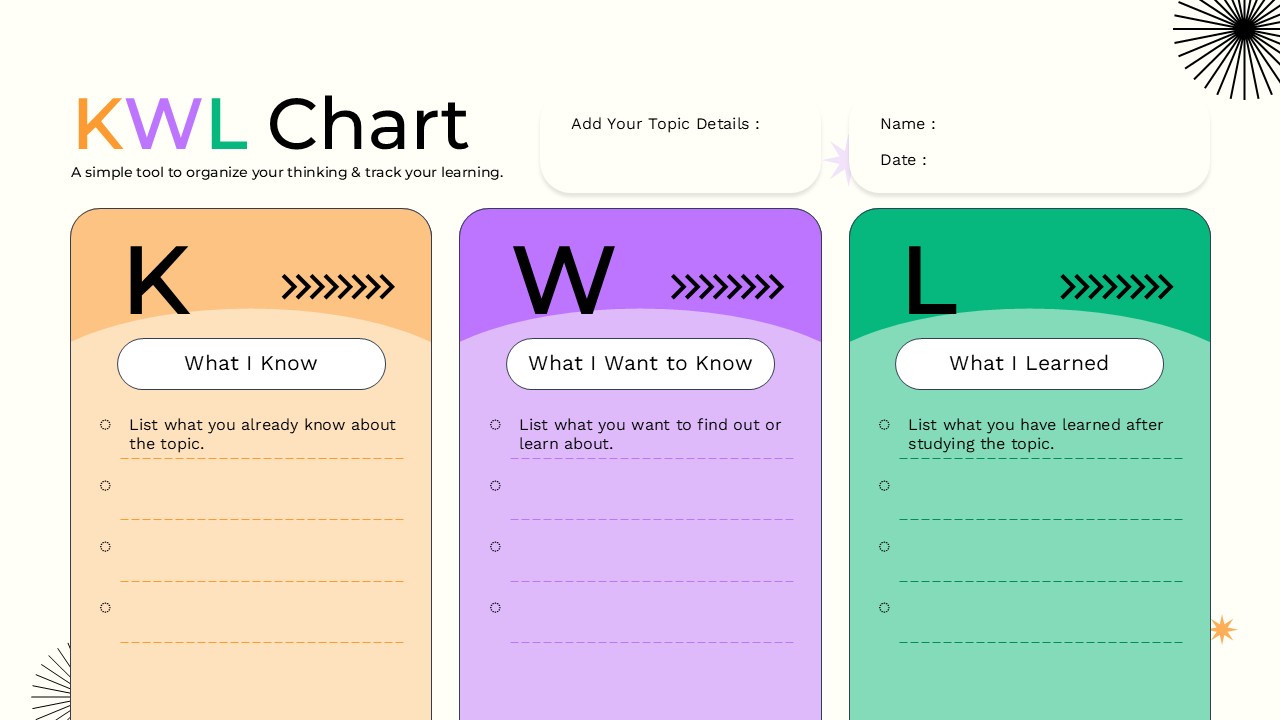
Editable KWL Chart PowerPoint and Google Slides Template for Learning & Lesson Planning
Make classroom learning, training sessions, and knowledge assessments more engaging with this KWL Chart PowerPoint and Google Slides Template. Designed around the widely used KWL learning strategy, this template helps learners organize their thoughts before, during, and after exploring a topic. Whether you’re an educator, trainer, student, or instructional designer, this template provides a structured framework to encourage active participation and meaningful reflection.
The layout is divided into three clearly defined sections: K – What I Know, W – What I Want to Know, and L – What I Learned. This simple yet effective format allows users to record prior knowledge, identify learning objectives, and summarize key takeaways once the lesson or activity is complete. The clean design, vibrant color palette, and spacious writing areas make it easy to present information during lessons or distribute as a printable worksheet for individual or group activities.
This fully editable template is ideal for classrooms, workshops, online courses, corporate training programs, and educational presentations. Teachers can use it to introduce new subjects, measure student understanding, and encourage inquiry-based learning. Trainers can apply it to professional development sessions to identify participant expectations and evaluate learning outcomes. Students can also use the template independently for research projects, reading assignments, exam preparation, and collaborative discussions.
The template includes dedicated fields for the topic, name, and date, making it suitable for repeated use across different subjects and audiences. Every element can be customized to match your presentation style, including colors, fonts, text, and layout. It works seamlessly in both Microsoft PowerPoint and Google Slides, ensuring compatibility across devices and collaborative environments.
See more

Aspect Ratio
16:9Item ID
SKT04697


Features of this template
FAQs
You May Also Like These Presentation Templates

- Free

- Free
- Free
- Free
- Free
- Free
- Free
- Free
- Free
- Free
- Free
- Free
- Free
- Free
- Free
- Free
- Free
- Free
- Free
- Free
- Free
- Free
- Free
- Free
- Free
- Free

- Free