Down & Up Slide Template for PowerPoint & Google Slides
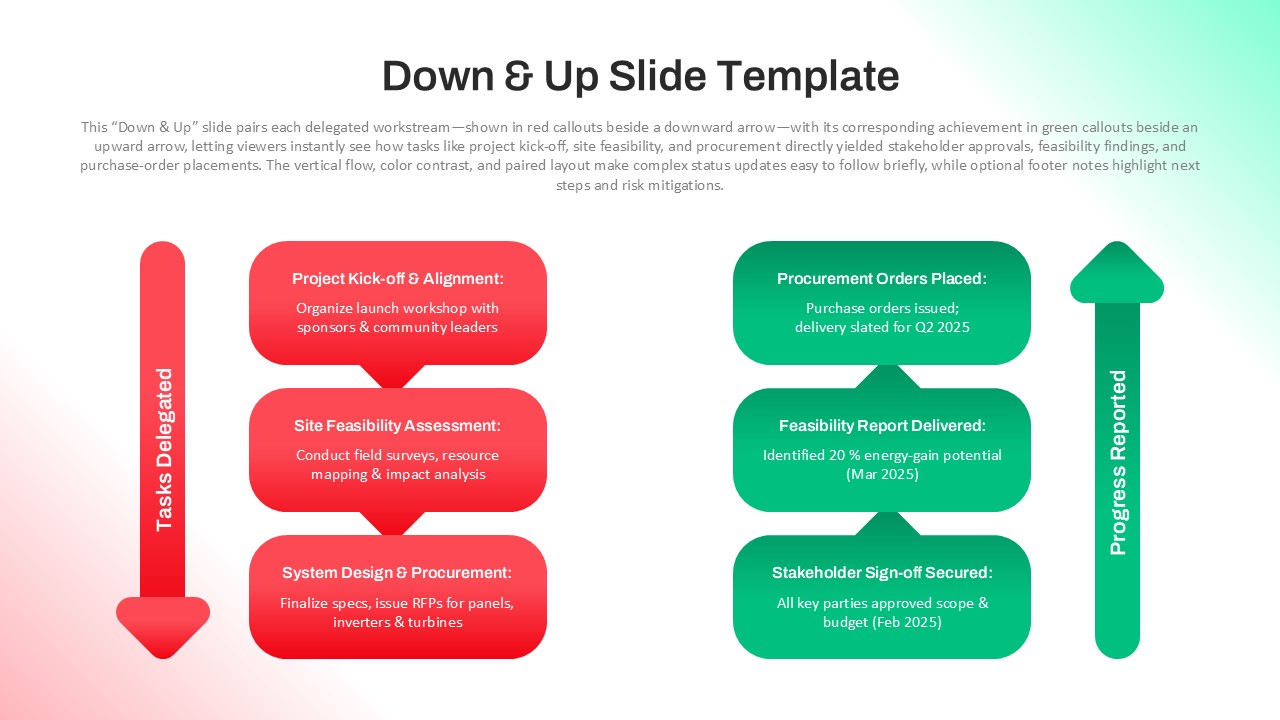
The Down & Up Slide Template helps presenters show tasks and progress in a clear visual format. It displays delegated tasks on one side and reported progress on the other side. The downward flow highlights the sequence of assigned work or planned steps. Meanwhile, the upward flow presents completed milestones and results. This structure helps audiences quickly understand how actions lead to outcomes. In addition, the layout creates a balanced view of planning and achievement. The visual contrast between the two directions improves clarity during presentations. Teams can also use this slide to explain project updates and workflow status. Furthermore, it supports clear communication between managers, stakeholders, and team members. The organized structure keeps complex updates easy to follow. Because of this, it works well for business meetings and project reviews. It also fits presentations that explain task delegation and performance results. The template works smoothly in both PowerPoint and Google Slides.
What Is This Down & Up Slide Template?
This Down & Up Slide Template is a ready-to-use presentation slide that compares tasks and outcomes in a single layout. It organizes assigned tasks in a downward flow while showing achievements in an upward flow. This design helps presenters demonstrate how project activities lead to measurable results. The layout also highlights important milestones and completed actions. As a result, audiences can quickly understand the relationship between planning and progress.
When to Use This Template
You can use this template when presenting project updates, workflow progress, or performance reviews. It works well for project management meetings, business strategy discussions, and operational reporting sessions. Teams can also use it to show how delegated tasks contribute to final outcomes. In addition, managers can present milestone tracking and progress reporting clearly. The format helps explain project stages and achievements in a simple way.
Customization and Editing Options
You can easily edit all text boxes, colors, and icons in the template. You can also update task descriptions and progress results to match your project. You can adjust colors to fit your brand style or presentation theme. The slide layout also allows you to add more steps or milestones if needed. This flexibility helps presenters adapt the slide for different business topics.
PowerPoint and Google Slides Compatibility
The template works fully with Microsoft PowerPoint and Google Slides. The layout stays consistent across devices and screen sizes. Therefore, you can use it in meetings, conferences, or online presentations without formatting problems.
Customization and Editing Options
You can easily edit all text boxes, colors, and icons in the template. You can also update task descriptions and progress results to match your project. In addition, you can adjust colors to fit your brand style or presentation theme. The slide layout also allows you to add more steps or milestones if needed. This flexibility helps presenters adapt the slide for different business topics.
PowerPoint and Google Slides Compatibility
The template works fully with Microsoft PowerPoint and Google Slides. The layout stays consistent across devices and screen sizes. Therefore, you can use it in meetings, conferences, or online presentations without formatting problems.
See more

Aspect Ratio
16:9Item ID
SKT04416


Features of this template
Other Use Cases of This Template
Project progress presentations, Workflow status reports, Business strategy discussions, Task delegation meetings, Performance review presentations, Operational planning sessions, Team progress updates, Milestone tracking presentations, Stakeholder reporting meetings, Business project reviewsFAQs
You May Also Like These Presentation Templates


- Free
- Free

- Free
- Free
- Free
- Free
- Free
- Free
- Free
- Free
- Free
- Free