VALS Framework Presentation Template for PowerPoint and Google Slides
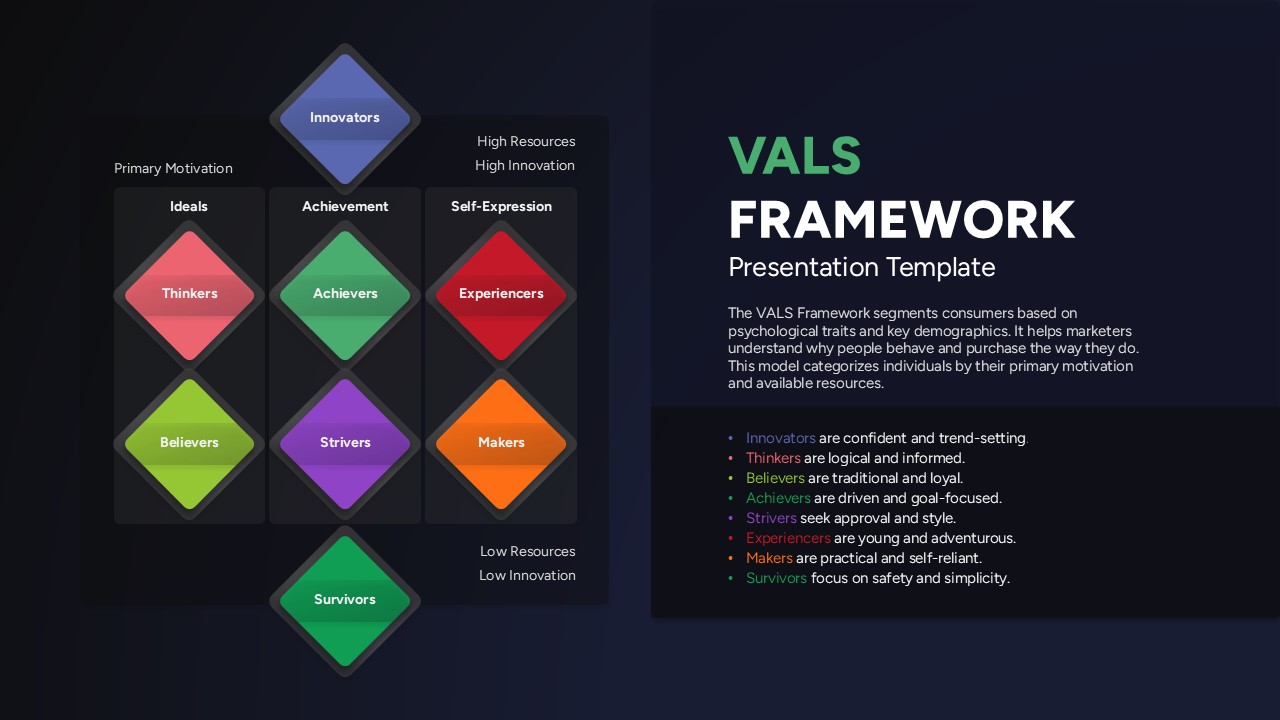
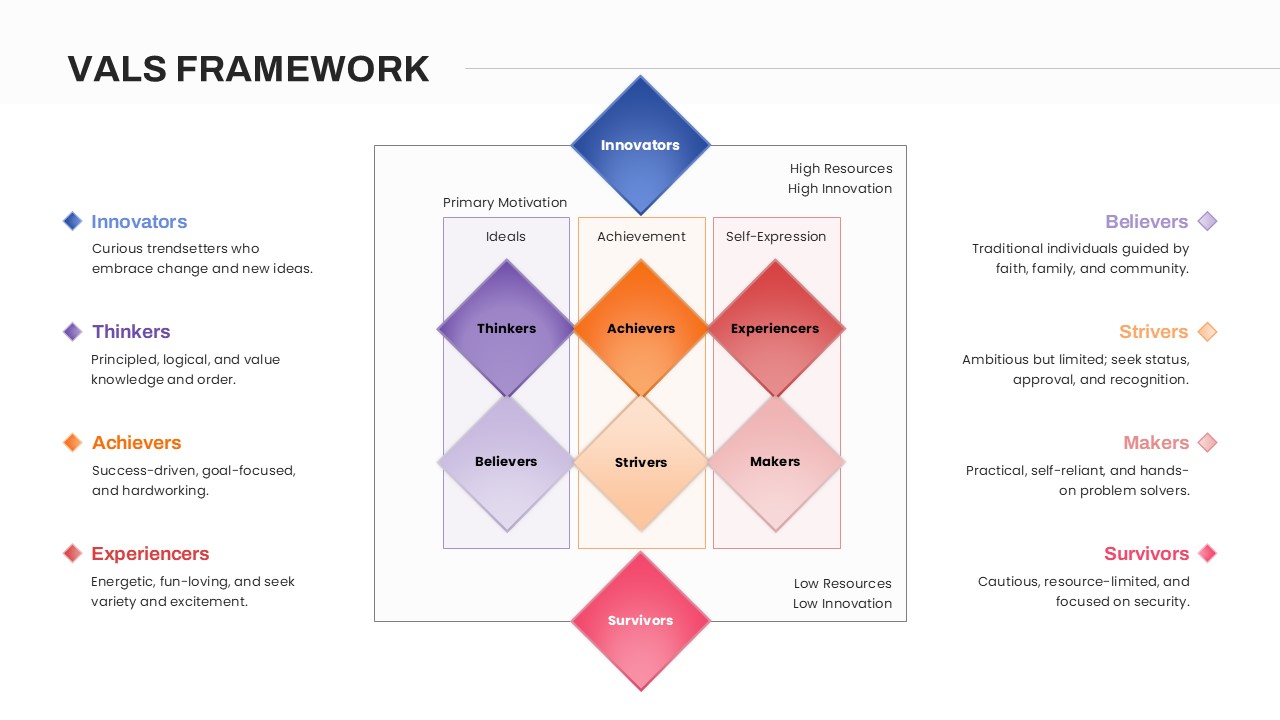
The VALS Framework Presentation Template is a ready-to-use slide layout designed to present audience or consumer segments in a clear visual format. The template uses a structured diamond-style arrangement to show different groups based on motivation and resource levels. It helps presenters explain segmentation models without using complex charts or tables. The layout keeps information organized and easy to follow during presentations. Text labels and short descriptions can be added without making the slide look crowded. This template is suitable for professional presentations where audience classification needs to be shown clearly. It can be used in both internal meetings and external presentations. The template works smoothly in PowerPoint and Google Slides. It is mainly used in marketing, research, and strategy-related presentations.
What Is This VALS Framework Template for PowerPoint and Google Slides?
This template is a presentation slide used to show consumer or audience segments in one visual view. It arranges groups into clearly separated sections so viewers can understand differences at a glance. The layout supports simple titles and brief descriptions for each segment. It helps presenters explain how audiences are grouped without going into detailed theory. The slide focuses on clarity and structure rather than detailed data. It is useful when showing high-level segmentation information.
When to Use This Template
This template is used when presenting consumer segmentation, audience profiling, or market classification insights. It is suitable for strategy discussions where decision-makers need a clear overview of different audience groups. The slide works well in presentations aimed at marketing teams, consultants, product planners, or business stakeholders. It is also appropriate when explaining how different segments relate to motivation and resource levels.
Customization and Editing Options
Users can edit all text fields to match their specific audience segments or terminology. Colors can be adjusted to align with brand guidelines or presentation themes. The layout elements can be resized, rearranged, or duplicated as needed. Slides can be added or removed depending on presentation length.
PowerPoint and Google Slides Compatibility
This template is compatible with both PowerPoint and Google Slides. It supports standard slide editing features on both platforms. Users can work with the template across desktop and browser-based presentation tools without format issues.
See more

Aspect Ratio
16:9Item ID
SKT04401


Features of this template
Other Use Cases of The Template
Marketing strategy presentations, consumer research reports, brand positioning decks, audience persona mapping, customer segmentation reviews, go-to-market planning, campaign targeting discussions, product positioning meetings, academic presentations, business analysis briefings, workshop sessions, consulting proposals, internal training materials, executive summaries, planning reviewsFAQs
You May Also Like These Presentation Templates

- Free

- Free
- Free
- Free
- Free
- Free
- Free
- Free