Thermometer Comparison Slide for PowerPoint & Google Slides
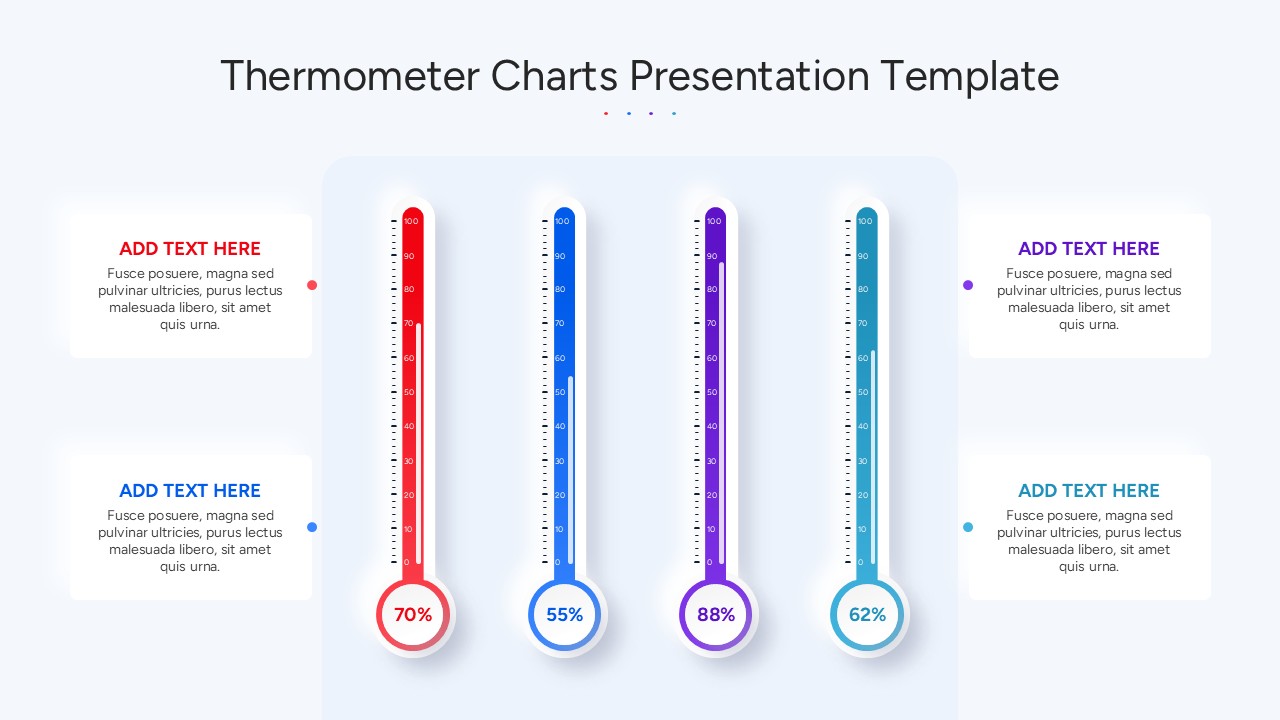
Visualize performance metrics with clarity using this thermometer comparison KPI slide. This engaging layout features four vertical thermometers—each color-coded in red, blue, purple, and cyan—displaying percentage values at 70%, 55%, 88%, and 62%. Designed for intuitive tracking of key performance indicators, this slide uses bold, legible numerals and clean scale markings to ensure data is immediately comprehensible. Adjacent text boxes allow space for detailed commentary or contextual notes, making it easy to explain variances, targets, or milestones.
The minimal yet vibrant design leverages soft shadows, rounded edges, and color-aligned pointers to create visual harmony while maintaining focus on the numerical data. The layout supports comparisons across business functions, teams, or timelines, making it ideal for dashboards, executive summaries, and goal-tracking presentations. With fully editable charts and text areas, users can quickly swap data points, adjust colors, or repurpose the slide without disrupting visual consistency.
Optimized for both PowerPoint and Google Slides, this thermometer KPI slide offers versatile performance visualization for internal reviews, team meetings, or stakeholder updates. Its structured format supports quick comprehension while preserving visual engagement, ensuring that your metrics are not just seen, but understood.
See more

Aspect Ratio
16:9Item ID
SKT04166


Features of this template
Other Uses
Beyond KPI tracking, this slide is suitable for financial progress reports, resource utilization overviews, employee satisfaction scores, or energy consumption monitoring. It can also support training dashboards, product performance stats, or fundraising milestones.
FAQs
You May Also Like These Presentation Templates


- Free
- Free
- Free

- Free
- Free


- Free