Square Milestones Timeline Presentation Template
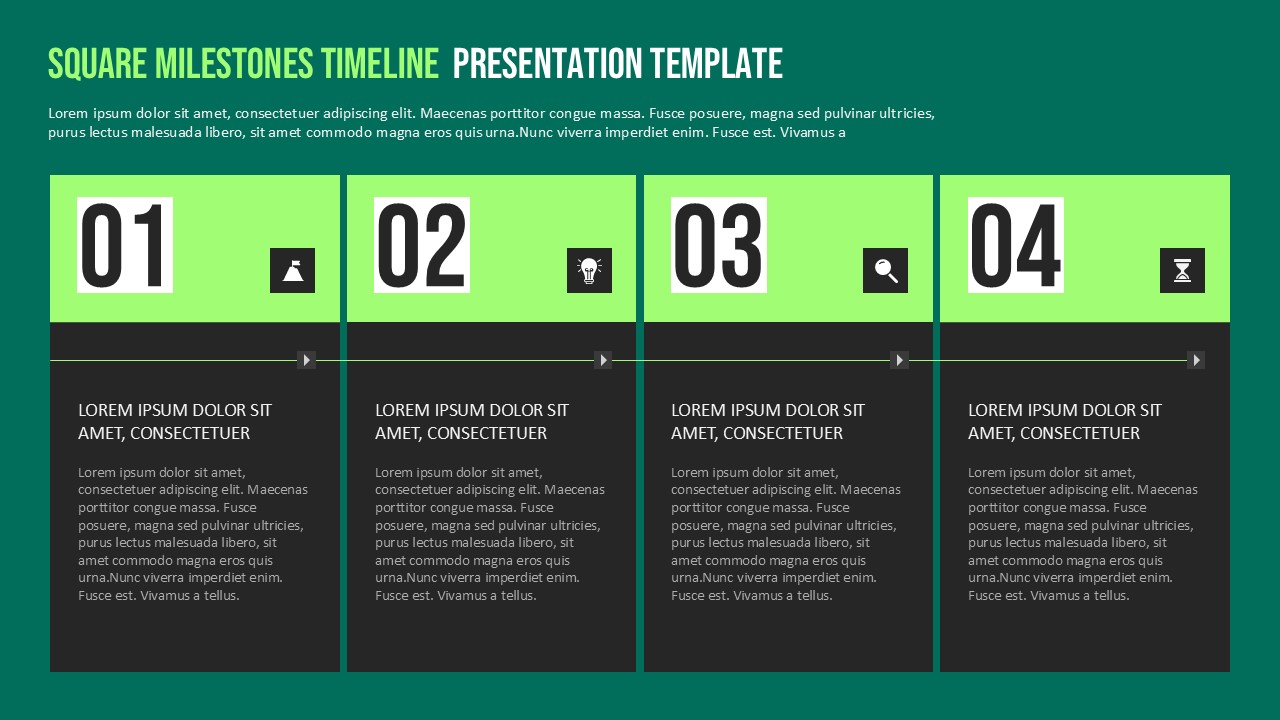
The Square Milestones Timeline Template helps you present important events, project stages, and business goals in a clear visual format. It features four numbered milestone cards connected by a horizontal timeline. Each card includes space for a heading and supporting details. The bright green headers stand out against the dark gray content areas. This color combination creates a modern and professional look for business presentations.
Use this Square Milestones Timeline Template for PowerPoint and Google Slides to organize plans, explain project phases, and communicate progress. Each square represents a key milestone in your timeline. You can add dates, tasks, achievements, deadlines, or important decisions. The connected layout guides your audience from the first milestone to the last. As a result, your presentation becomes easier to follow and understand.
This timeline template is suitable for project managers, business professionals, educators, and team leaders. You can use it to present product launches, marketing campaigns, business strategies, or implementation plans. It also works well for quarterly reviews and progress reports. The four-step structure keeps information organized without making the slide feel crowded. Replace the sample text with your own content to match your goals.
This editable timeline design works with both PowerPoint and Google Slides. You can customize the headings, descriptions, colors, and milestone numbers. Add project dates or short explanations to make each stage more informative. The consistent card layout helps maintain a polished appearance throughout your presentation.
- Four Milestone Cards: Present four important stages or achievements.
- Numbered Sections: Show the sequence of events clearly.
- Connected Timeline: Guide viewers through each project phase.
- Editable Text: Add milestone names, dates, tasks, and descriptions.
- Modern Color Scheme: Combine bright green with dark gray for strong contrast.
- PowerPoint and Google Slides: Customize the template in either presentation platform.
See more

Aspect Ratio
16:9Item ID
SKT04903


Features of this template
Other User Cases of the Template
Project Planning, Product Launch Roadmaps, Business Strategy Presentations, Marketing Campaign Timelines, Quarterly Progress Reports, Team Project Updates, Event Planning, Implementation Schedules, Sales Milestone Tracking, Educational Project Timelines, Company Growth Plans, Process Improvement Presentations.FAQs
You May Also Like These Presentation Templates

- Free
- Free


- Free
- Free
- Free
- Free
- Free