Decision Log Presentation Template
Decision Log Template for PowerPoint & Google Slides
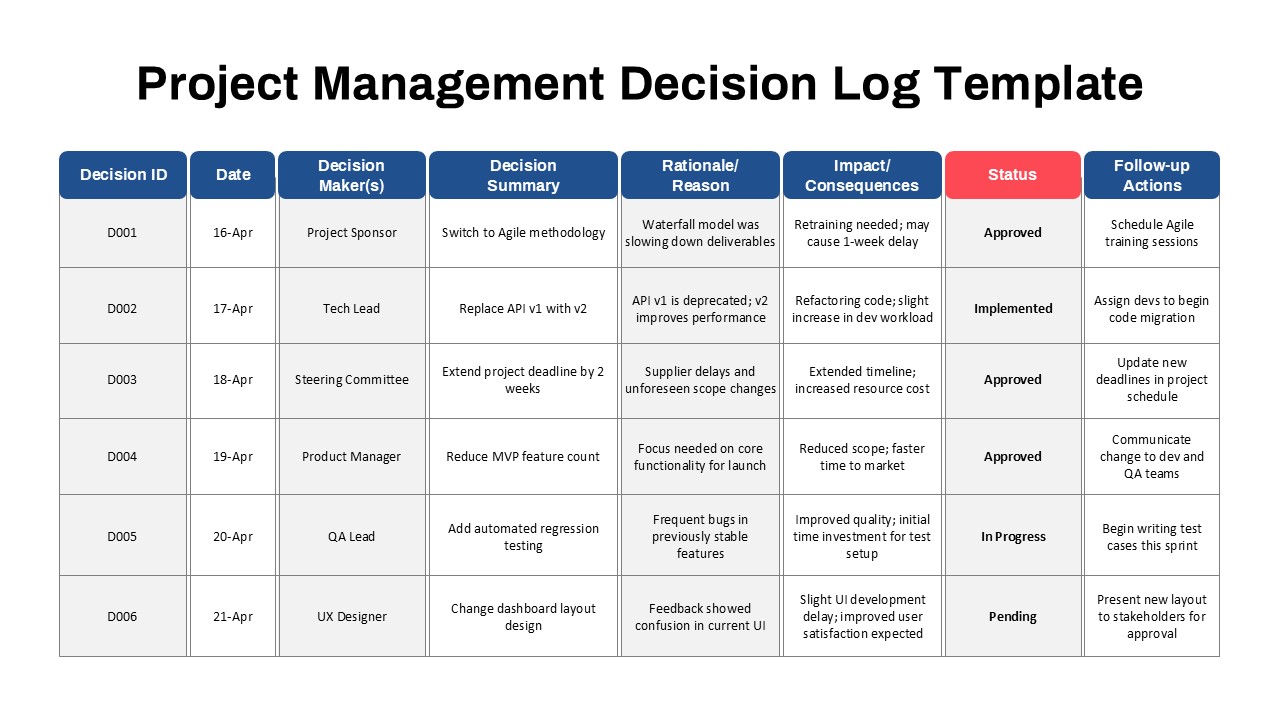
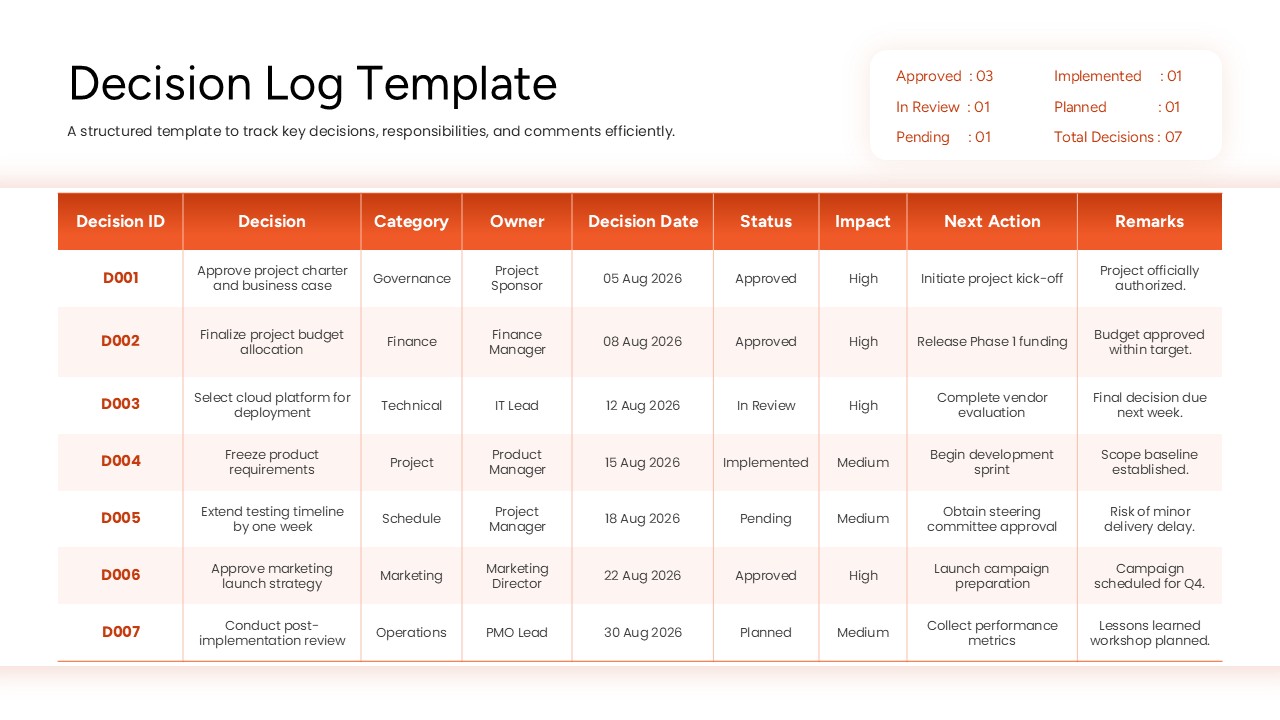
The Decision Log Template helps teams record, track, and manage important business decisions in one organized place. It provides a clear overview of each decision, including its owner, date, status, impact, and next action. As a result, teams can improve accountability and keep projects moving forward. The template features a professional orange-and-white design with a structured table and alternating row colors. This layout makes information easy to read and helps users find important details quickly. It also includes a summary of decision statuses, so stakeholders can review overall progress at a glance.
Designed for PowerPoint and Google Slides, this decision log template is suitable for project managers, business leaders, consultants, and team coordinators. You can use it during project meetings, planning sessions, management reviews, and stakeholder presentations. The editable layout allows you to replace sample information with your own project details. You can also customize the categories, dates, owners, and status labels to match your workflow. Whether you manage a small team or a large project, this template helps you maintain a reliable record of key decisions.
The table organizes decisions into clear columns. Each entry includes a unique decision ID, a description, a category, and an assigned owner. It also records the decision date, current status, and expected impact. The next action and remarks columns help teams understand what needs to happen next. In addition, the summary panel highlights approved, implemented, in-review, planned, and pending decisions. This makes it easier to identify outstanding items and follow up with the right people.
Key Slide Details
- Decision ID: Assign a unique reference number to each decision.
- Decision: Record the agreed action or outcome.
- Category: Group decisions by finance, governance, marketing, operations, or other areas.
- Owner: Identify the person responsible for each decision.
- Decision Date: Track when each decision was recorded.
- Status: Monitor approved, implemented, in-review, planned, and pending items.
- Impact: Highlight the importance of each decision.
- Next Action: Define the follow-up task required to move forward.
- Remarks: Add notes, risks, and relevant comments.
- Decision Summary: Review the overall status of all recorded decisions.
See more

Aspect Ratio
16:9Item ID
SKT04826


FAQs
You May Also Like These Presentation Templates


- Free
- Free