Requirement Traceability Matrix Slide for PowerPoint & Google Slides
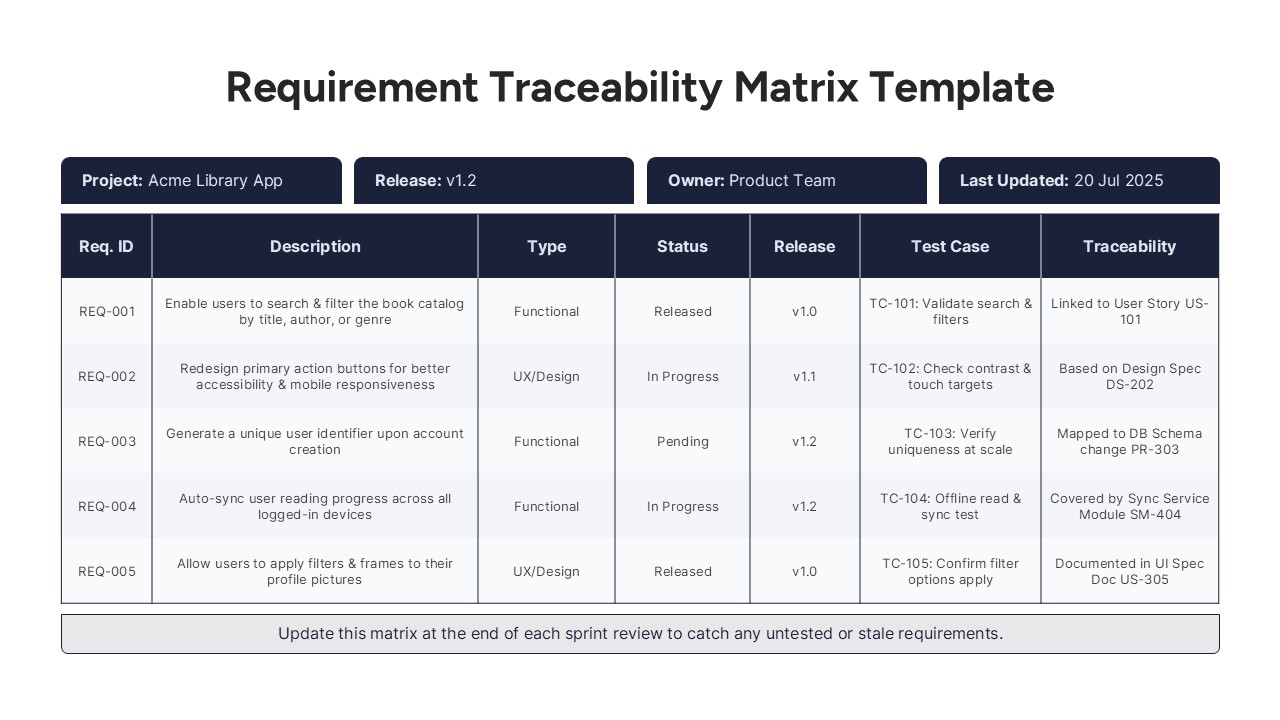
This requirement traceability matrix slide offers a structured way to track functional and design requirements throughout a project lifecycle. Designed for agile product teams, it organizes key requirement elements into a clean tabular format, including Req. ID, Description, Type, Status, Release version, Test Case ID, and Traceability references. The matrix layout aids sprint reviews, QA alignment, and documentation audits by clearly mapping each requirement to its corresponding test case and origin, such as user stories, design specs, or system modules.
Formatted with alternating row shades, bold headers, and evenly spaced columns, this layout enhances scanability while maintaining a professional appearance. The top section highlights metadata fields like Project, Release, Owner, and Last Updated date—ideal for stakeholder visibility and version control. A footer note reminds teams to update the matrix regularly, reinforcing good agile practices.
Fully editable and optimized for PowerPoint and Google Slides, this slide is perfect for backlog grooming sessions, sprint retrospectives, or compliance reporting. It ensures product development efforts stay traceable, testable, and verifiable—critical for high-quality software delivery in regulated or fast-paced environments.
See more

Aspect Ratio
16:9Item ID
SKT04165


Features of this template
Other Uses
Beyond software development, this matrix can be adapted for IT infrastructure rollouts, hardware validation projects, or any initiative that demands traceable, testable deliverables. It’s ideal for grant-funded research, enterprise system upgrades, and internal audit reporting.
FAQs
You May Also Like These Presentation Templates


- Free
- Free
- Free
- Free