ABCDE Productivity Prioritization Slide for PowerPoint & Google Slides
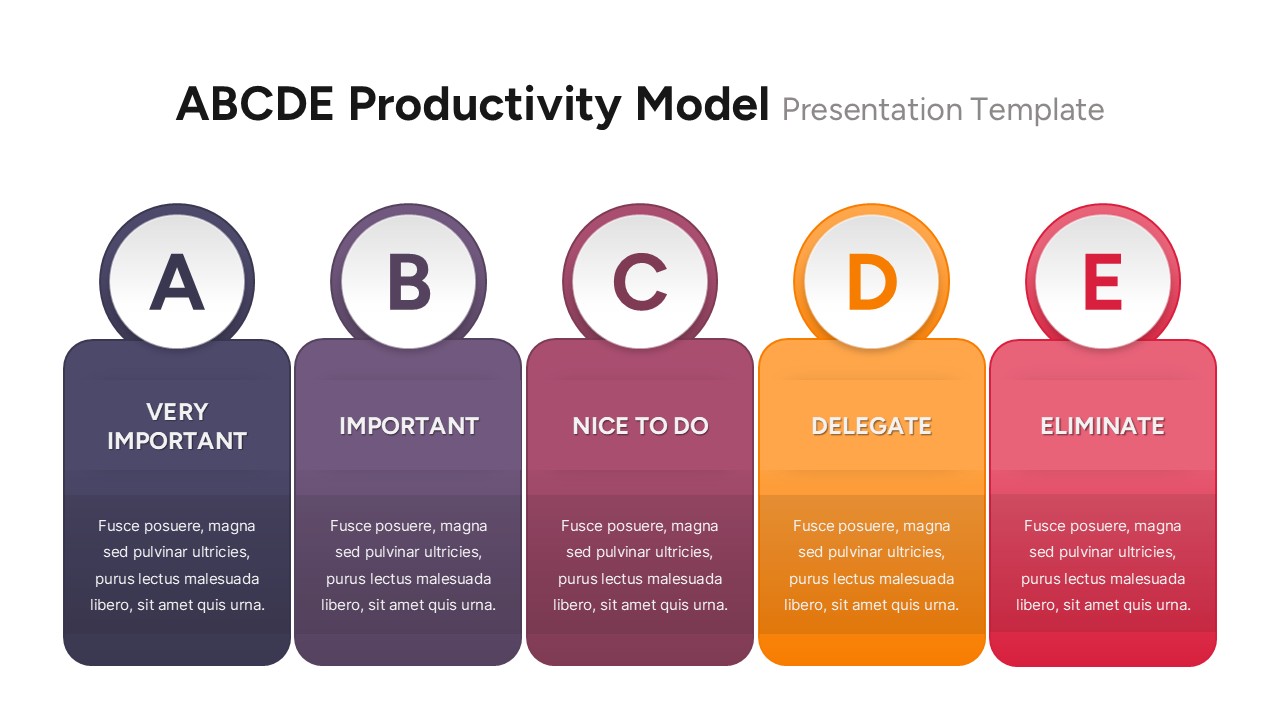
This ABCDE Productivity Model slide simplifies task prioritization by classifying activities into five clear categories—from high-impact to non-essential. The layout uses a horizontal row of vertically stacked columns, each labeled A through E. Every letter represents a distinct priority level: “A” for very important tasks, “B” for important but less urgent items, “C” for nice-to-do actions, “D” for tasks that can be delegated, and “E” for those to be eliminated. With bold typography and color-coded blocks (ranging from deep navy to vibrant red), this slide ensures immediate visual differentiation for each category.
This model helps professionals allocate time and resources more effectively by filtering distractions and focusing on results-driven work. The rounded header shapes above each column add a modern aesthetic, while the editable text blocks allow teams to insert examples, action items, or workflow notes. Ideal for productivity workshops, time management seminars, or personal goal-setting presentations, the slide delivers structured clarity in a visually engaging format.
Fully customizable in both PowerPoint and Google Slides, it supports content updates with ease and maintains presentation quality across platforms. It’s a powerful tool for illustrating decision-making hierarchies and fostering focus in a busy work environment.
See more

Aspect Ratio
16:9Item ID
SKT04170


Features of this template
Other Uses
Use this model to guide employee onboarding plans, streamline daily workflows, conduct task reviews, or establish performance prioritization systems in OKR and KPI planning sessions. It's also useful for personal development coaching and executive planning.
FAQs
You May Also Like These Presentation Templates

- Free

- Free
- Free

- Free
- Free
- Free
- Free
- Free