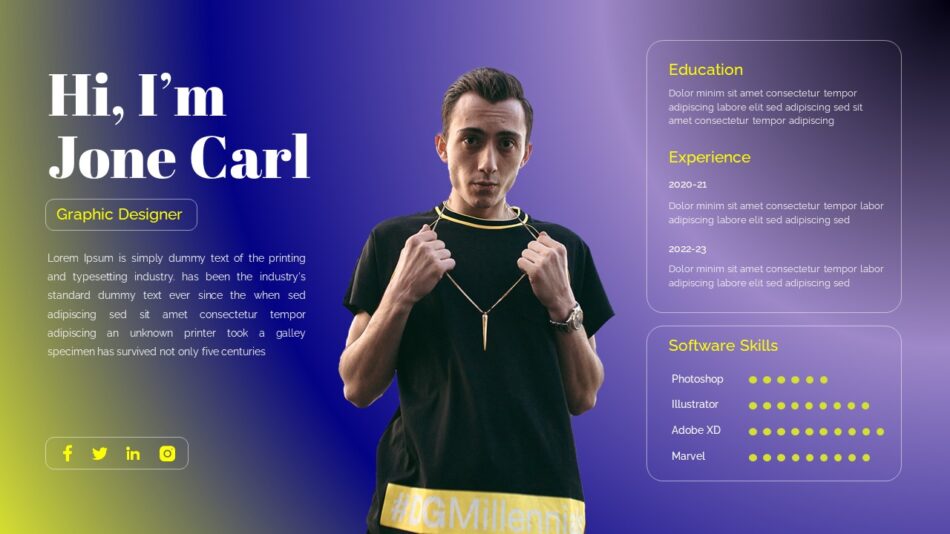
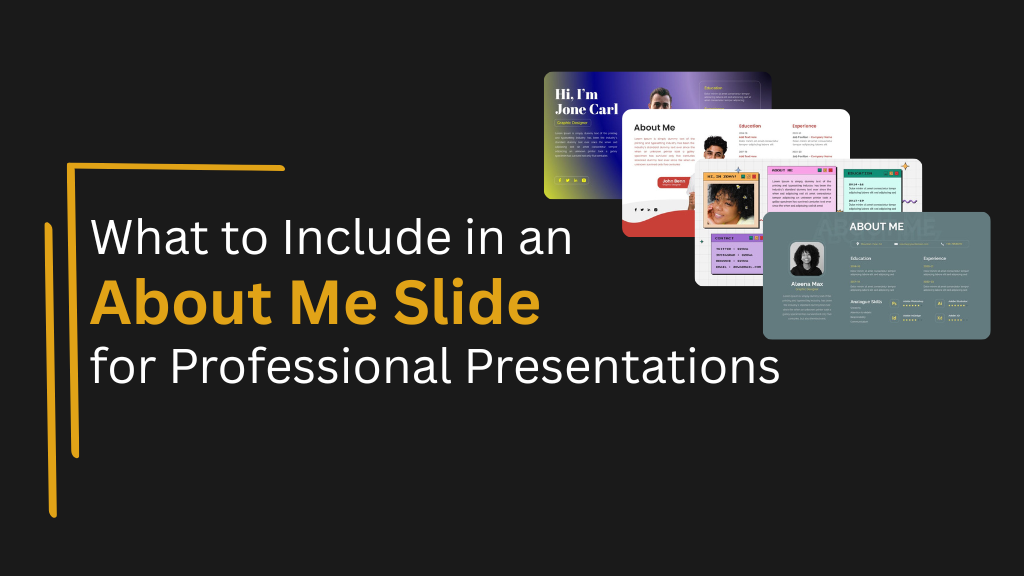
Editable About Me Presentation


First impressions happen quickly. Before you dive into your presentation content, audiences want to know who's speaking and why they should listen. An About Me slide answers these questions, establishing credibility and connection in the first moments of your presentation.
But what should actually go on this slide? Too much personal information feels self-indulgent. Too little leaves audiences wondering about your qualifications. The right balance communicates relevance and builds trust without wasting time or seeming unprofessional.
This guide explains what belongs on an About Me slide in professional contexts, how to structure information for different audiences, and how to create slides that establish credibility without distracting from your main message.
The Purpose of an About Me Slide
About Me slides serve specific functions in professional presentations. Understanding these purposes helps you decide what information to include.
Establishing Credibility
Audiences need reasons to trust your expertise. Your About Me slide shows why you're qualified to speak on your topic. Relevant credentials, experience, or accomplishments build this credibility quickly.
When presenting to people who don't know you, this credibility foundation matters enormously. Without it, audiences may question your recommendations or discount your insights regardless of content quality.
Creating Connection
People connect with people, not just information. About Me slides humanize you, showing personality and relatability alongside professional credentials. This connection improves how audiences receive your message.
Finding common ground—shared professional backgrounds, similar challenges, or aligned interests—makes audiences more receptive. Small personal details can create these connection points without veering into irrelevant oversharing.
Framing Your Perspective
Your background shapes how you approach topics. About Me slides provide context for your perspective, helping audiences understand the lens through which you view the subject matter.
A marketing professional presenting about customer engagement brings different perspective than a data scientist presenting on the same topic. Knowing your background helps audiences interpret your recommendations appropriately.
Key Information to Include
Professional About Me slides typically include specific types of information that balance credibility with relevance.
Your Name and Current Role
This seems obvious, but clarity matters. State your full name clearly and your current professional position or role. If your job title isn't self-explanatory, add a brief descriptor.
"Sarah Johnson, Senior Product Manager at TechCorp" works well. "Sarah Johnson, SPM-III" requires audiences to decode what SPM-III means, creating unnecessary friction.
Relevant Professional Experience
Highlight experience that relates to your presentation topic. This isn't a comprehensive resume—it's targeted information showing why you're qualified to speak about your subject.
If presenting about digital marketing strategy, mention years in marketing roles, brands you've worked with, or campaigns you've led. If presenting about financial planning, highlight your financial credentials and experience managing portfolios or advising clients.
Keep this concise. Two to three relevant points about your background provide sufficient context without turning your About Me slide into a career history.
Credentials and Qualifications
Relevant credentials strengthen credibility. Degrees, certifications, professional designations, or specialized training all belong on About Me slides when they relate to your topic.
However, only include credentials that matter for your specific presentation. If speaking about leadership development, your MBA might be relevant. Your certification in scuba diving probably isn't, even if you're proud of it.
Notable Achievements or Recognition
Significant accomplishments related to your topic demonstrate expertise. Awards, publications, speaking experience, successful projects, or measurable results all work well.
Frame achievements specifically rather than vaguely. "Increased customer retention by 40% through loyalty program redesign" communicates more than "Improved customer programs." "Published author of three books on project management" tells audiences more than "Author."
Avoid sounding boastful. State accomplishments factually without excessive self-promotion.
Personal Touch (When Appropriate)
In less formal contexts, small personal details humanize you and create connection. These might include:
- One or two relevant hobbies or interests
- Personal motivation for your topic
- A brief relatable anecdote
- Family or community involvement (if relevant)
Keep personal information minimal and relevant. Your love of hiking might matter if you're presenting about outdoor product design. It probably doesn't matter if you're presenting quarterly financial results.
Professional contexts typically limit personal information more than educational or community settings. Read your audience and context carefully.
Contact Information
Include how audiences can reach you after the presentation. Email address, LinkedIn profile, or professional website give interested stakeholders ways to connect.
Make contact information readable and accessible. Nothing frustrates audiences more than trying to copy down tiny email addresses displayed too briefly.
Structuring Content for Different Contexts
The right About Me slide content varies based on presentation context and audience.
Executive and Leadership Presentations
When presenting to executives or senior leadership, focus heavily on relevant accomplishments and expertise. Keep personal information minimal. Emphasize results you've driven and strategic experience.
Executives care about your ability to deliver results and think strategically. Your About Me slide should position you as someone with proven track record and appropriate expertise.
A stylish About Me PowerPoint template maintains professional polish appropriate for high-level audiences while allowing space for accomplishments and credentials.

Client Presentations
Client-facing About Me slides balance credibility with relationship building. Show relevant experience while creating personal connection that helps clients feel comfortable working with you.
Highlight experience with similar clients or projects. Show you understand their challenges. Include enough personality that clients see you as approachable partner, not just service provider.
Team and Internal Presentations
Internal audiences already know you, so extensive credentials feel unnecessary. Focus on your specific expertise relevant to the presentation topic and perhaps one or two personal details that colleagues might not know.
These About Me slides can be lighter and more personal since trust already exists within organizational context.
Visual and Layout Best Practices
How you present information matters as much as what you include.
Keep It Simple and Scannable
About Me slides work best with clean layouts and minimal text. Audiences should grasp key information at a glance, not read paragraphs about your background.
Use bullet points, short phrases, or visual elements rather than dense text blocks. White space improves readability and focuses attention on essential information.
Include a Professional Photo
Adding your photo helps audiences connect name with face, particularly valuable in virtual presentations or large events where seeing the speaker clearly might be difficult.
Use a high-quality, professional headshot. Casual vacation photos or group shots where you're barely visible don't work in professional contexts.
Maintain Visual Hierarchy
Not all information on your About Me slide carries equal weight. Use size, color, or positioning to emphasize what matters most—typically your name and current role.
Supporting information like credentials or experience can be slightly smaller or less visually prominent. Create clear hierarchy that guides eyes to the most important elements first.
Match Overall Presentation Design
Your About Me slide should feel like part of your presentation, not a disconnected element. Use consistent colors, fonts, and design elements that match the rest of your deck.
A Creative About Me slide PowerPoint Template can add personality while maintaining cohesion with professional presentation standards.

Make Information Readable
Font sizes must be large enough for audiences to read comfortably, even from distance or on small screens during virtual presentations. Body text should never drop below 18 points.
Ensure sufficient contrast between text and backgrounds. Light text on light backgrounds or dark text on dark backgrounds creates readability problems.
Common About Me Slide Mistakes
Avoiding these common errors improves About Me slide effectiveness.
Including Irrelevant Information
Not everything about you belongs on professional About Me slides. Information should connect to either your credibility on the topic or creating appropriate audience connection.
Your complete work history, every degree you've ever earned, or hobbies unrelated to your presentation topic clutter slides without adding value.
Being Too Modest or Too Boastful
Finding the right tone between underselling yourself and sounding arrogant is tricky but important. State accomplishments factually without excessive humility or self-promotion.
"Led team that increased revenue by 30%" strikes better balance than "Single-handedly revolutionized the entire company" (too boastful) or "Worked on some projects" (too vague and modest).
Using Generic Templates Poorly
While templates help, using them without customization creates bland, forgettable About Me slides. Generic templates filled with placeholder text or poorly chosen stock photos suggest lack of effort.
Customize templates appropriately for your context and audience. An editable About Me slide should be edited to reflect your actual information and personality, not just filled with minimal text.

Forgetting to Update Information
Presenting with outdated About Me slides undermines professionalism. Old job titles, former company names, or stale accomplishments suggest you're not current or don't care about presentation quality.
Update About Me slides regularly, especially when roles, companies, or major accomplishments change.
How SlideKit Templates Support Professional Introductions
Creating effective About Me slides from scratch requires design skills many professionals lack. SlideKit solves this by providing professionally designed templates specifically for self-introduction contexts.
SlideKit's About Me slide templates come with balanced layouts that accommodate professional information, credentials, photos, and contact details while maintaining visual clarity. These templates work in both PowerPoint and Google Slides, giving you flexibility across platforms.
Templates like the customized About Me presentation template or About Me slides template provide multiple layout options for different content needs and visual preferences. Whether you prefer minimalist designs or more creative approaches, options exist that maintain professional standards.


For those seeking contemporary aesthetics, a modern all about me template offers up-to-date design that feels current and professional. For more comprehensive self-introductions, a self-introduction PowerPoint template provides structured space for more detailed background information.
The templates are fully editable, letting you customize colors to match your brand, adjust layouts to fit your specific information, and modify elements to suit your presentation context. This flexibility ensures your About Me slide works for your specific needs while maintaining professional design quality.
See more