
Timeline vs Roadmap Slides: Which Works Better?
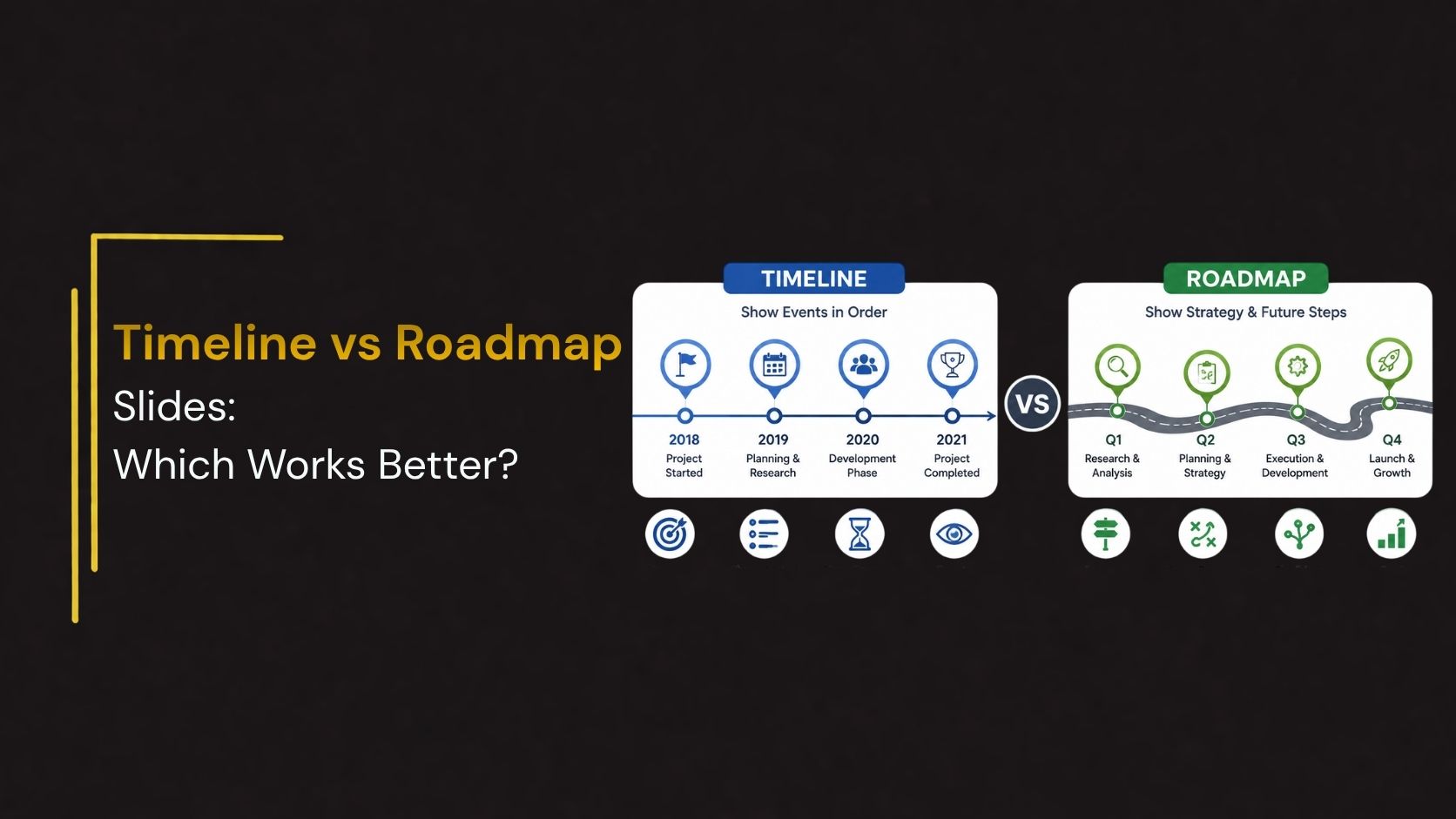
Both show progress over time. Both use horizontal layouts. But they communicate completely different things — and choosing the wrong one for your audience can leave the most important message unclear. Here is how to tell them apart and use each one to its full potential.
Why presenters confuse timelines and roadmaps
Timeline slides and roadmap slides look similar at first glance, both typically run left to right across a horizontal axis, both show progress or sequence, and both appear regularly in project presentations, pitch decks, and strategy documents. This surface similarity leads many presenters to use the terms interchangeably, often defaulting to whichever template they found first.
The problem is that they serve fundamentally different purposes. A timeline anchors specific events to fixed dates or periods; it is precise, historical or projected, and accountability-focused. A roadmap shows direction and strategic priorities over phases or quarters; it is intentionally flexible, forward-looking, and vision-focused. Using a timeline when your audience needs a roadmap signals rigidity where you intended flexibility. Using a roadmap when your audience needs a timeline signals vagueness where you need to demonstrate planning.
What is a Timeline Slide
A timeline slide is a visual representation of events, milestones, or deliverables mapped to specific dates or time periods. The horizontal axis represents real time whether weeks, months, quarters, or years and each point on that axis anchors a specific event or outcome. The precision is the point. A timeline communicates accountability, sequence, and specific commitment to dates.
Timelines answer the question what happened when, or what will happen when? They work best for audiences who need to understand exact timing, dependencies between events, and concrete commitments to delivery.
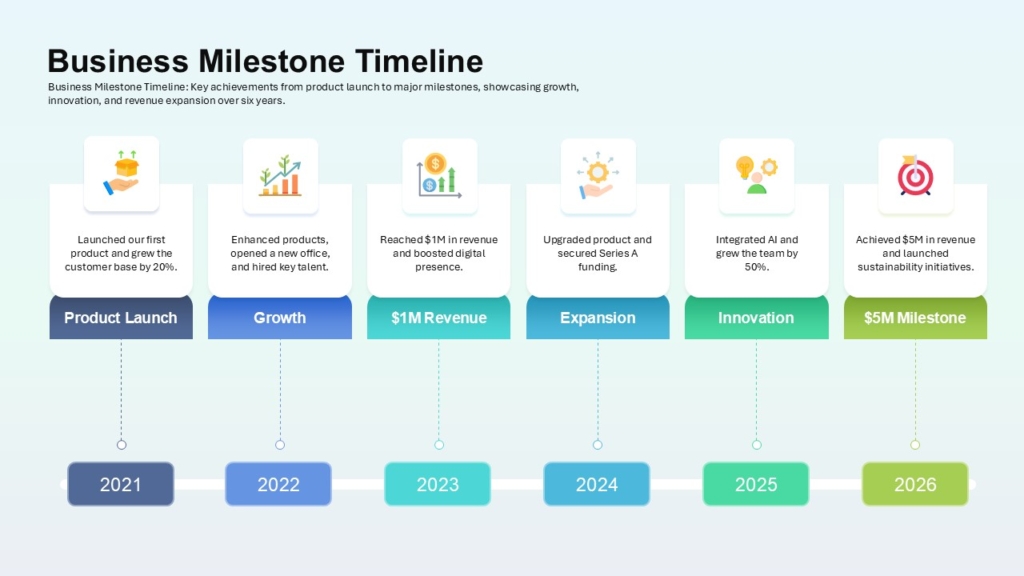
👉Discover Milestone Timeline Slides on SlideKit
What is a Roadmap Slide
A roadmap slide is a visual representation of strategic direction, priorities, and planned work organized across phases or broad time horizons rather than fixed dates. The horizontal axis typically represents phases Q1, Q2, Q3, or Now, Next, Later rather than specific calendar dates. The flexibility is intentional. A roadmap communicates strategic intent and relative priority without committing to precise delivery dates.
Roadmaps answer the question where are we going and in what order are we going there? They work best for audiences who need to understand strategic priorities, planned work, and direction but where exact dates are either unknown, subject to change, or not appropriate to share.
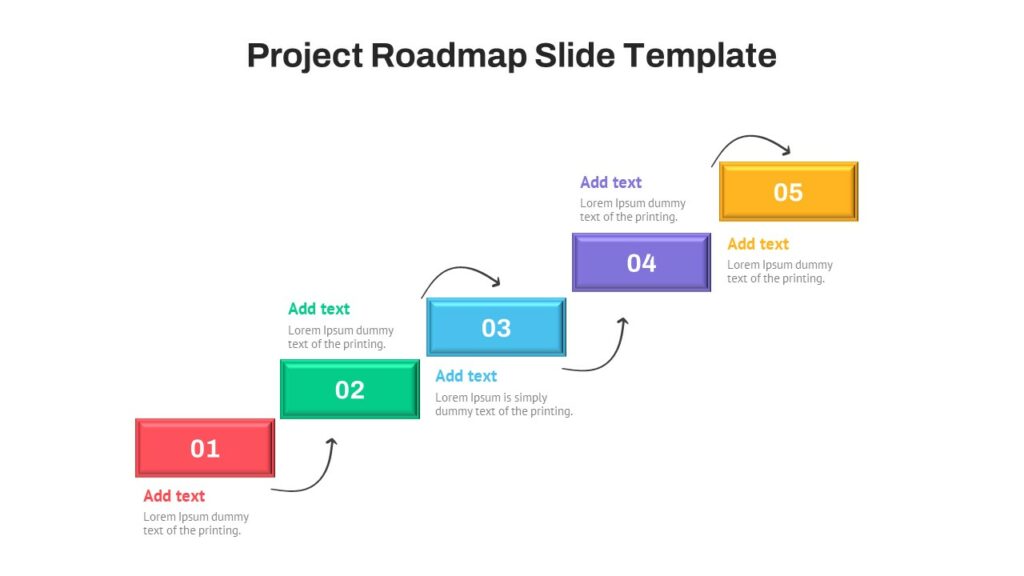
👉Discover Creative Roadmap Slides on SlideKit
Basic differences at an overview
Timeline Slide :
- Anchored to specific dates or periods
- Shows what happened or will happen exactly when
- Communicates accountability and commitment
- Best for operational and project audiences
- Fixed — changes require explanation
- Focus on past events or confirmed delivery dates
Roadmap Slide :
- Organized by phases, quarters, or horizons
- Shows direction, priorities, and planned work
- Communicates strategic intent and vision
- Best for leadership and strategic audiences
- Flexible evolves as priorities shift
- Focus on future direction and relative priority
The simplest way to remember the difference timelines commit to dates, roadmaps commit to direction. If your content has specific dates, use a timeline. If your content has phases and priorities, use a roadmap.
When to Use a Timeline Slide
Timeline slides work best when your audience needs to understand exact timing, specific commitments, or the precise sequence of events. The date-anchored structure signals that you have made concrete planning decisions and are accountable to specific delivery points.
- Project Status Updates : Show stakeholders where the project stands against the original plan, which milestones are completed, and what is coming next with specific dates.
- Company History : Communicate founding dates, key milestones, product launches, and growth moments in a visually engaging format that tells the company story chronologically.
- Contract and legal milestones : Show contractual deadlines, regulatory submission dates, and compliance checkpoints — contexts where date precision is not just helpful but legally required.
- Event and Campaign Planning : Map campaign phases, launch dates, and key deadlines across a calendar to show the marketing or events team exactly what needs to happen when.
When to Use a Roadmap Slide
Roadmap slides work best when your audience needs to understand where you are going and how you plan to get there — but where specific dates are either not yet confirmed, subject to change, or not the right level of detail for the room. The phase-based structure signals strategic thinking and intentional prioritization.
- Product Strategy Presentation : Show what is being built now, what is planned next, and what is on the future horizon — without committing to specific release dates that may shift as the product evolves.
- Technology and Platform Planning : Communicate planned technical improvements, infrastructure upgrades, and platform developments across phases — helping engineering and business teams align on priorities.
- Board and Leadership Presentations : Show senior leadership where the business or product is heading across the next one to three years — strategic intent and priority, not granular project scheduling.
- Client-facing strategy decks : Show clients where their project or engagement is heading without creating contractual expectations around specific dates that have not yet been formally committed to.
Can you use both in the same presentation
Absolutely and in many cases, the most effective approach is to use both. A product strategy presentation, for example, might open with a roadmap slide to communicate strategic direction and phase-based priorities to the leadership audience, then follow it with a timeline slide showing confirmed near-term milestones to the project and engineering teams in the room.
The roadmap answers the question of where you are going. The timeline answers the question of when specific things will happen. Together they give your audience both the strategic context and the operational detail they need — without either slide trying to do both jobs at once.
Common mistakes to avoid with both slide types
- Using a timeline when dates are not confirmed : Putting specific dates on a timeline before they are confirmed creates expectations you cannot meet. If dates are provisional, use a roadmap with phase labels instead.
- Using a roadmap when precision is required : A roadmap with Q3 labels when your client needs confirmed delivery dates by the 15th of each month is the wrong tool. Date precision requires a timeline, not a phase-based roadmap.
- Overcrowding either slide type : Both timeline and roadmap slides lose clarity when they try to show too much. A timeline with fifteen milestones and a roadmap with forty items are both unreadable at presentation size. Simplify ruthlessly.
Conclusion
Timeline slides and roadmap slides both serve important but different purposes in presentations. Timelines focus on specific dates, milestones, and accountability, while roadmaps emphasize strategy, direction, and long-term priorities. A simple approach is to use timelines when presenting confirmed schedules and roadmaps when communicating broader plans and future goals. If your presentation requires both strategic context and execution details, combining the two can create a clearer and more effective message.
If you are looking for professionally designed templates for both slide types, SlideKit offers a curated library of fully editable timeline and roadmap slides for PowerPoint and Google Slides clean layouts, flexible structures, and designs built for every presentation context from project updates to investor decks. Stop building these slides from scratch and start with a template that works.
Explore SlideKit timeline and roadmap templates today and find the right visual structure for every presentation you build.


