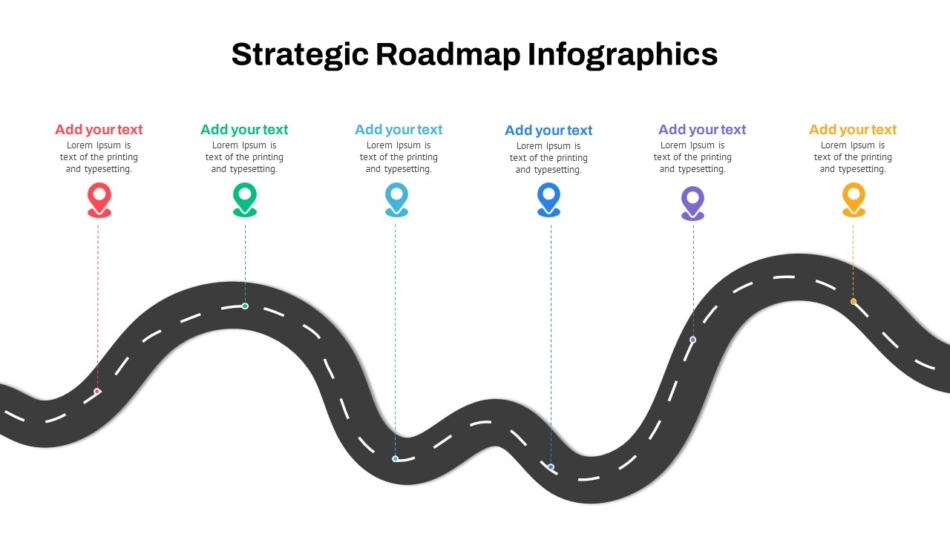
Strategic Roadmap Template


Strategic planning requires clarity. Teams need to understand where the organization is headed, what milestones matter, and how different initiatives connect over time. A well-designed business roadmap communicates this information visually, transforming complex strategic plans into accessible timelines that align teams and stakeholders.
PowerPoint remains one of the most practical tools for creating business roadmaps. It's familiar, flexible, and produces presentations that work across organizational contexts—from internal planning sessions to board meetings and client presentations. This article explains how to build clear, effective roadmap presentations using PowerPoint, covering structure, design principles, and practical implementation steps.
What Is a Business Roadmap and Why It Matters
A business roadmap is a visual representation of strategic goals, initiatives, and timelines. It shows what an organization plans to accomplish and when, providing a high-level view of priorities across quarters, years, or project phases.
Roadmaps serve multiple purposes across business functions. Product teams use them to communicate feature development plans. Marketing departments map campaign launches and brand initiatives. HR leaders outline talent acquisition and organizational development strategies. Leadership teams present company-wide strategic direction to stakeholders.
The value of a roadmap lies in alignment. When teams see how their work connects to broader objectives and understand timing dependencies, coordination improves. Stakeholders gain confidence when they can visualize progress and understand resource allocation. Roadmaps reduce ambiguity around priorities and help organizations move forward with shared understanding.
Unlike detailed project plans with task-level granularity, roadmaps operate at a strategic level. They answer questions about direction and sequence rather than day-to-day execution. This distinction matters—roadmaps should inform without overwhelming, providing enough detail to guide decisions without drowning audiences in complexity.
Key Elements of an Effective PowerPoint Roadmap Slide
Strong roadmap slides share common structural elements that support clear communication. Understanding these components helps presenters build roadmaps that actually serve their intended purpose.
Timeline structure forms the foundation. Roadmaps organize information along time periods—months, quarters, years, or phases. This temporal axis must be immediately obvious. Whether horizontal or vertical, the timeline should progress logically and use consistent intervals.
Clear initiative labels identify what will happen. Each roadmap element needs a descriptive name that communicates purpose without requiring additional explanation. "Launch customer portal" works better than "Project Alpha" because it conveys meaning directly.
Visual distinction between items helps audiences navigate complexity. Different colors can represent different departments, initiative types, or priority levels. Shapes might distinguish between planned work and completed milestones. Whatever system presenters choose, it should be consistent and explained in a legend.
Milestone markers highlight critical points. Product launches, campaign starts, quarterly reviews, or decision gates deserve visual emphasis. These markers help stakeholders understand when significant events occur and plan accordingly.
Appropriate detail level matches audience needs. Executive roadmaps might show only major initiatives with quarterly timing. Department-level roadmaps could include more granular breakdowns. The slide should contain enough information to be useful without becoming cluttered.
Types of Business Roadmaps and When to Use Each
Different strategic contexts require different roadmap approaches. Selecting the appropriate format ensures the presentation serves its intended purpose.
Strategic roadmaps communicate company-wide direction across multiple years. These high-level roadmaps might show major business initiatives, market expansion plans, or organizational transformation programs. A strategic roadmap template provides structure for presenting long-term vision to leadership teams, boards, or investors.

Product roadmaps outline feature development, releases, and version updates. Product teams use these to align engineering, design, and marketing around delivery schedules. A product roadmap template helps visualize development phases and launch timings, ensuring stakeholders understand what's being built and when it will become available.
Marketing roadmaps map campaigns, content initiatives, brand launches, and channel strategies across time. Marketing teams coordinate activities using roadmaps that show how different initiatives support overall goals. A marketing innovation strategy roadmap or brand launch roadmap template provides appropriate frameworks for these communications.

HR and organizational roadmaps outline talent strategies, hiring plans, training initiatives, or cultural transformation programs. HR leaders use roadmaps to show how people-focused initiatives will unfold. An HR strategy roadmap template offers structure for communicating these plans to leadership and broader employee populations.
Understanding which roadmap type fits the situation helps presenters choose appropriate templates and structure information effectively.

Step-by-Step: Building a Business Roadmap in PowerPoint
Creating a clear roadmap follows a systematic process. These steps work whether building from scratch or customizing a template.
Define the Roadmap Purpose and Audience
Before opening PowerPoint, clarify what the roadmap needs to accomplish. Is it aligning cross-functional teams around product delivery? Securing board approval for strategic initiatives? Communicating annual marketing plans to stakeholders?
Audience understanding shapes design decisions. Technical teams might appreciate detailed timelines with dependencies. Executive audiences typically need higher-level views focused on strategic outcomes. External stakeholders may require more context than internal teams familiar with operations.
Gather and Organize Information
Collect the initiatives, projects, or milestones that belong on the roadmap. For each item, identify the clear descriptive name, start timing, end timing or duration, category or department, priority or status, and dependencies on other items if relevant.
Organize this information in a spreadsheet or list before moving to visual design. This preparation ensures nothing gets overlooked and helps identify logical groupings or sequences.
Choose the Roadmap Structure
Select a timeline orientation and structure that fits the content. Horizontal timelines with time progressing left to right work well for quarterly or annual roadmaps where multiple parallel workstreams exist. Vertical timelines suit presentations where screen width is limited or when emphasizing sequential progression through phases.
Swim lane formats organize initiatives into horizontal rows by department, product line, or category, with time progressing horizontally across columns. Phase-based structures group work into distinct stages rather than specific dates, useful when exact timing remains flexible but sequence matters.
Design the Timeline and Add Initiatives
Create a clear, consistent time scale with explicit labels. Maintain consistent spacing between time periods to avoid confusion about duration and timing. Use subtle visual markers like light gridlines or background shading to help audiences track items to their corresponding time periods.
Place each initiative onto the timeline according to its start and duration. Use shapes that span the time period during which work occurs, sizing them proportionally to duration. Label each initiative clearly with text large enough to read easily.
For point-in-time milestones, use distinct markers like diamonds, stars, or vertical lines with labels that stand out visually from duration-based elements.
Apply Visual Organization
Use color, shading, or patterns to create meaningful categories. Common schemes include organizing by department, priority, status, or initiative type. Include a legend explaining the color coding, and don't rely solely on color—add icons, patterns, or labels so information remains accessible to colorblind viewers.
Show dependencies when relevant using arrows connecting dependent items. Keep dependency lines simple and only show critical path dependencies that stakeholders need to understand.
Review and Refine
Step back and evaluate the roadmap from an audience perspective. Verify that all timing aligns with actual plans, check that dependencies make sense, and ensure color coding applies consistently. Test readability at presentation size and polish the visual presentation with consistent spacing, alignment, and formatting.
How SlideKit Simplifies Professional Roadmap Creation
Building roadmaps from blank slides is time-consuming and often produces inconsistent results. SlideKit addresses these challenges by providing professionally designed PowerPoint roadmap templates that balance visual quality with practical functionality.
SlideKit templates come pre-structured with tested layouts that handle complex timeline visualization while maintaining clarity. Whether creating a creative roadmap for innovative projects or specialized templates for specific functions, the platform offers purpose-built solutions that eliminate design guesswork.

The templates work by establishing visual systems—consistent spacing, proper alignment, readable typography, and strategic color use—that presenters can customize with their own content. This approach saves hours of formatting work while ensuring professional results. Users simply replace placeholder text with their initiatives, adjust timelines to match their planning horizons, and modify colors to align with organizational branding.
SlideKit templates are fully editable in both PowerPoint and Google Slides, giving teams flexibility across platforms. The designs incorporate best practices for visual hierarchy, ensuring that important information stands out while supporting details remain accessible without overwhelming viewers. For organizations where multiple team members create roadmaps, using SlideKit templates ensures consistent quality and visual coherence across all strategic presentations.
Common Roadmap Design Mistakes to Avoid
Even well-intentioned roadmap presentations can fail when common errors undermine clarity. Overcrowding with too much detail is the most frequent problem. Roadmaps that try to show every task or minor milestone become unreadable. Strategic roadmaps should focus on major initiatives only.
Inconsistent time scales create confusion. If one quarter occupies more space than another, audiences can't accurately gauge timing. Maintain proportional spacing throughout the timeline.
Unclear labeling forces audiences to guess what initiatives mean. Acronyms, project code names, or vague descriptors require explanation. Use plain language that communicates purpose directly.
Poor color choices reduce readability. Low contrast between elements and backgrounds makes content hard to distinguish. Too many colors create visual chaos. Using color as the only differentiator excludes colorblind viewers.
Missing legends leave audiences guessing what visual elements represent. Always explain the organizational system—what colors indicate, what shapes mean, how to interpret the timeline.
Unrealistic timelines undermine credibility. Roadmaps showing overly ambitious schedules or ignoring known constraints lose stakeholder trust. Ground roadmaps in realistic assessment of capacity and dependencies.
Design Principles for Professional Roadmap Slides
Applying foundational design principles ensures roadmap slides look professional and communicate effectively.
Visual hierarchy directs attention to what matters most. Use size, color, position, and contrast to create clear hierarchy. Major initiatives or near-term activities might receive more visual weight than future or lower-priority items.
Alignment and spacing create order. Elements should align to a consistent grid. Spacing between items should feel regular and intentional. Proper alignment signals attention to detail and makes content easier to scan.
Consistent formatting maintains professionalism. If one initiative uses rounded rectangles with bold text, all initiatives should follow the same format. Inconsistency suggests carelessness or lack of coordination.
Appropriate color use supports comprehension. Limit color palettes to four or five colors maximum. Ensure sufficient contrast for readability. Use color functionally to communicate categories or status, not decoratively.
Typography must be readable. Text size should be large enough for audiences to read comfortably. Maintain consistent text formatting across all labels.
White space improves clarity. Don't fill every pixel of the slide. Margins around the timeline and spacing between elements help audiences process information.
Using Roadmaps Effectively in Different Contexts
How roadmaps function in presentations varies by audience and meeting purpose. Executive presentations require high-level strategic roadmaps that focus on major initiatives and business outcomes. Keep these roadmaps concise, clearly prioritized, and tied explicitly to business objectives.
Team alignment meetings benefit from more detailed roadmaps that show how different workstreams coordinate. Teams need to understand dependencies, timing overlaps, and how their work connects to adjacent functions.
Stakeholder updates use roadmaps to demonstrate progress and communicate upcoming plans. Show completed milestones alongside future initiatives using visual indicators like checkmarks or color coding.
Client presentations employ roadmaps to demonstrate how solutions will be delivered or how partnerships will evolve. Client-facing roadmaps emphasize outcomes and milestones relevant to the client relationship.
Understanding context helps presenters select appropriate detail levels, customize messaging, and determine which roadmap elements to emphasize during discussion.
Practical Takeaways for Creating Clear Business Roadmaps
Creating effective PowerPoint roadmaps combines strategic thinking with visual communication principles. Clear roadmaps emerge from understanding purpose, organizing information logically, applying sound design practices, and maintaining updates over time.
The structural elements—consistent timelines, clear labels, meaningful visual organization, and appropriate detail levels—work together to transform strategic plans into accessible visual communication. Whether presenting strategic direction, product development plans, marketing initiatives, or HR strategies, these foundational principles apply across roadmap types.
Professional PowerPoint roadmap templates accelerate this process by providing tested frameworks that handle design complexity while allowing content flexibility. Rather than starting from blank slides, presenters can focus on strategic substance while templates ensure visual quality and consistency.
For business professionals creating roadmaps regularly, investing in understanding these principles and utilizing appropriate templates produces presentations that align teams, build stakeholder confidence, and support effective strategic execution. Clear roadmaps don't just show plans—they enable the coordination and understanding necessary to execute those plans successfully.
See more