Business Strategy Presentation Slide


When creating presentations that include data, processes, or strategic ideas, the challenge is often deciding how to present the information clearly. Long explanations and text-heavy slides make it harder for audiences to follow, especially in business reviews, marketing updates, or learning sessions.
An infographic presentation offers a practical way to structure information visually. By using charts, icons, timelines, and diagrams, infographic slides help presenters explain complex topics step by step. This article outlines practical infographic presentation ideas for business reports, marketing, and education, showing how to organize content so it is easier to understand and communicate.
Why Infographic Presentations Matter
Infographics are not about decoration. They are about clarity.
When information is visualized properly, audiences can grasp key points faster and retain them longer. Infographic presentations are especially helpful when slides need to explain:
- Data trends and comparisons
- Step-by-step processes
- Strategies and frameworks
- Learning concepts and timelines
For teams that regularly present reports, campaigns, or training material, infographic slides reduce explanation time and improve understanding.
Infographic Presentation Ideas for Business Reports
Business reports often include dense information such as metrics, performance summaries, and strategic updates. Infographic slides help organize this information into clear, scannable visuals.
Data and KPI Infographics
Instead of listing numbers in tables, infographic slides can show:
- Performance trends over time
- Department-wise comparisons
- Progress against targets
Using icons, charts, and color-coded indicators helps stakeholders quickly identify what is working and what needs attention.
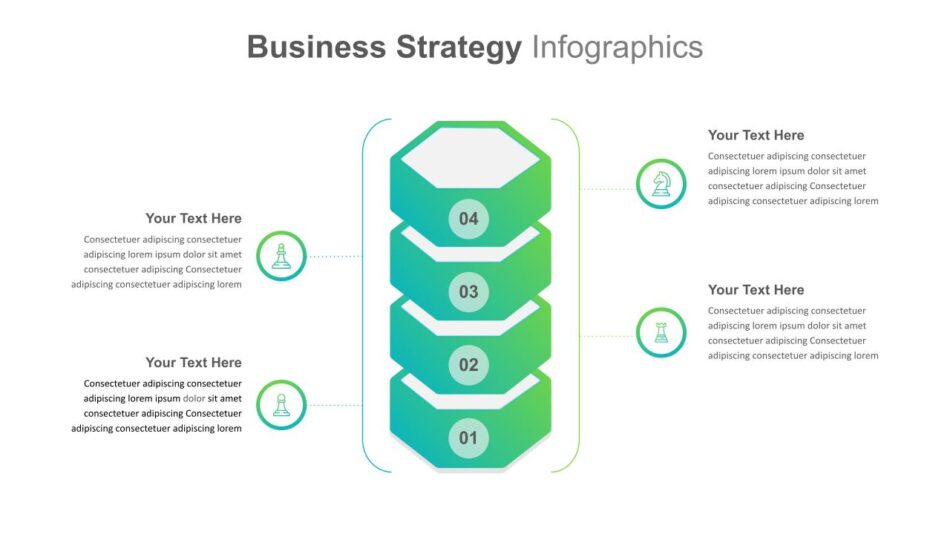
Strategy and Framework Visuals
Business strategies are easier to understand when broken into visual frameworks. Infographic slides can present:
- Strategic pillars
- Market positioning
- Internal and external factors
Strategy-focused infographic layouts help teams align on direction and priorities without lengthy explanations.

Business Strategy Presentation Slide
Roadmaps and Planning Overviews
Roadmaps are a common part of business reporting, especially in planning and review meetings. Infographic roadmaps visually connect goals, milestones, and timelines, making long-term plans easier to follow

Infographic Presentation Ideas for Marketing Teams
Marketing presentations often need to balance creativity with clarity. Infographic slides help marketing teams communicate performance, plans, and frameworks in a visually engaging way.
Campaign Performance Infographics
Instead of multiple text-heavy slides, marketers can use infographic slides to show:
- Campaign timelines
- Channel performance breakdowns
- Lead or conversion flow
Visual summaries make it easier for stakeholders to understand results at a glance.
Marketing Framework Infographics
Marketing frameworks are well suited for infographic presentations. They help explain how different elements work together.
For example, the 7Ps of marketing can be presented as a single visual that shows the relationship between product, price, place, promotion, people, process, and physical evidence. Infographic layouts make these frameworks easier to explain and remember

Marketing Infographic Template
Funnel and Journey Visuals
Customer journeys and funnels are more effective when shown visually. Infographic slides can map awareness, consideration, and conversion stages using icons and flow diagrams, helping teams align on strategy and execution.
Infographic Presentation Ideas for Education and Training
In education and training, clarity and engagement are essential. Infographic presentations help learners understand concepts faster and keep them engaged throughout the session.
Concept Breakdown Slides
Infographic slides can simplify complex topics by:
- Breaking ideas into smaller visual blocks
- Using icons and illustrations to support explanations
- Showing relationships between concepts
This approach works well for classroom teaching, online courses, and internal training programs.
Process and Step-by-Step Learning
Processes such as workflows, methodologies, or learning paths are easier to follow when presented visually. Infographic slides can guide learners through steps without overwhelming them with text.
Education-focused infographic layouts are particularly useful for training sessions and instructional presentations

Education Infographic Presentation Template
Comparison and Summary Slides
Infographics are also effective for comparison-based learning. Side-by-side visuals help learners understand differences between concepts, methods, or outcomes more clearly than text-heavy slides.
Best Practices for Creating Effective Infographic Presentations
Regardless of the use case, strong infographic presentations follow a few key principles.
Focus on One Idea per Slide
Each infographic slide should communicate one clear message. Overloading slides with too many visuals or data points reduces clarity.
Use Visual Hierarchy
Guide the viewer’s attention using:
- Size and spacing
- Color contrast
- Logical flow from top to bottom or left to right
This helps audiences understand what to look at first and what matters most.
Keep Text Minimal and Purposeful
Infographic slides work best when text supports visuals rather than replaces them. Short labels, headings, and key figures are usually enough.
Maintain Consistency Across Slides
Using consistent icons, colors, and layout styles across infographic slides improves readability and creates a cohesive presentation.
How SlideKit Supports Infographic Presentations
SlideKit infographic presentation templates are designed to support real-world use cases across business, marketing, and education. They provide structured layouts that help users focus on storytelling rather than slide design.
SlideKit templates support:
- Clear visual hierarchy
- Editable infographic layouts
- Compatibility with PowerPoint and Google Slides
- Reusable designs for different presentation needs
By using infographic templates, teams can create visually clear presentations without starting from a blank slide.
When to Use Infographic Slides
Infographic presentations are especially useful when:
- Explaining data or performance results
- Presenting strategies or frameworks
- Teaching concepts or processes
- Summarizing reports or campaigns
They help audiences understand information faster and reduce the need for lengthy explanations.
Conclusion: Making Information Easier to Understand
Infographic presentations help bridge the gap between complex information and clear understanding. Whether used in business reports, marketing campaigns, or educational settings, infographic slides turn data and ideas into visual stories that are easier to follow.
By choosing the right infographic formats and structuring slides thoughtfully, teams can communicate more clearly, engage their audience, and make presentations more effective across different use cases.
See more