
How to Create a Lesson Plan Presentation for Teachers
A well-organized lesson plan helps teachers deliver lessons with confidence, manage classroom time, and guide students toward specific learning outcomes. However, presenting a lesson plan effectively requires more than arranging information on slides. Teachers need a clear structure that connects learning objectives, instructional activities, teaching materials, and assessments.
Learning how to create a lesson plan presentation for teachers can make classroom instruction more organized, interactive, and easier to follow. Whether you teach elementary students, high school learners, or college students, a thoughtfully designed presentation can help you explain concepts, introduce activities, and evaluate student understanding.
With tools such as Microsoft PowerPoint and Google Slides, teachers can create reusable presentations that combine text, diagrams, images, charts, and interactive exercises. The key is to keep each slide focused on a specific purpose while ensuring that every activity supports the lesson’s learning goals.
1. What Is a Lesson Plan Presentation?
A lesson plan presentation is a structured set of slides that outlines how a teacher will introduce, explain, and reinforce a particular topic. It organizes the lesson into manageable sections so that both teachers and students can understand what will happen during the class.
Unlike a traditional lesson plan document, a presentation uses visual elements and concise explanations to make information easier to communicate. It can serve as a teaching guide for the instructor and a learning resource for students.
A typical lesson plan presentation includes:
- Lesson title and subject
- Learning objectives and expected outcomes
- Introduction or warm-up activity
- Main lesson content
- Teaching methods and classroom activities
- Guided and independent practice
- Assessment and feedback
- Summary and follow-up assignments
An effective presentation connects these elements into a logical sequence. The U.S. The Department of Education’s TEAL Center emphasizes aligning learning objectives with instructional strategies and assessment methods so teachers can measure whether students have achieved the intended outcomes.
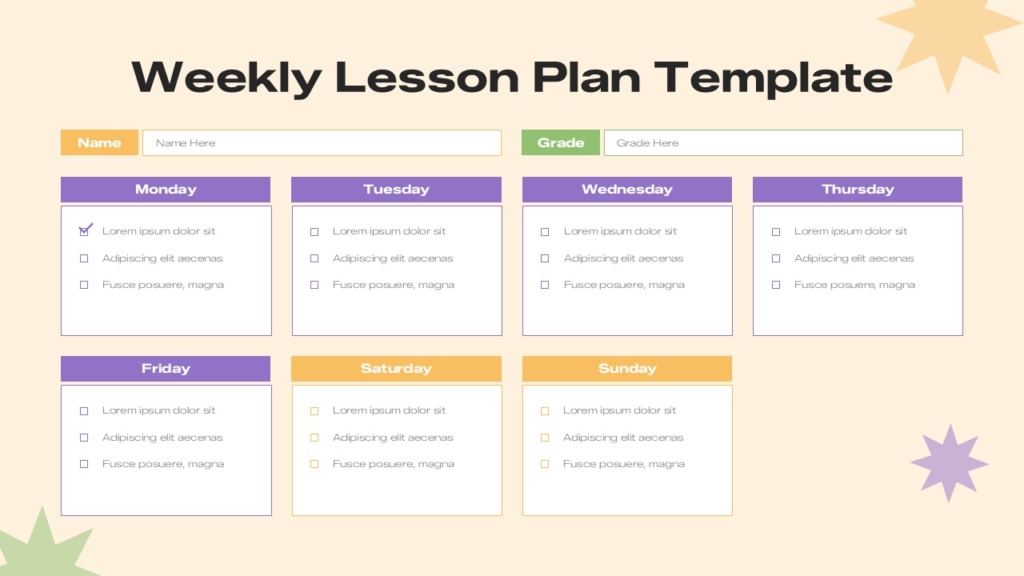
2. Why Do Teachers Need a Lesson Plan Presentation?
A lesson plan presentation provides a visual roadmap for delivering a lesson. Instead of relying entirely on notes or textbooks, teachers can use organized slides to introduce concepts, illustrate examples, and guide classroom discussions.
Here are the main benefits.
- Better lesson organization: Arrange topics in a logical order and maintain a clear teaching sequence.
- Improved student engagement: Use images, diagrams, quizzes, and activities to encourage participation.
- Effective time management: Allocate time for introductions, explanations, practice, and assessments.
- Clear learning expectations: Communicate what students should understand or accomplish by the end of the lesson.
- Flexible teaching resources: Reuse and adapt slides for different classes, subjects, and learning levels.
- Easier progress evaluation: Include questions, exercises, and short assessments to check understanding.
A presentation also makes it easier to share lesson materials with colleagues, support substitute teachers, and deliver online or hybrid classes.
3. What to Include in a Lesson Plan Presentation
Before designing your slides, decide what information students need and how you will communicate it.
Slide 1: Lesson Title : Introduce the subject, topic, grade level, and lesson date. Choose a clear title and a relevant visual to establish the lesson’s context.
Slide 2: Learning Objectives
Explain what students should know or be able to do after the lesson. Use measurable outcomes such as identify, explain, compare, solve, or demonstrate.
Slide 3: Introduction or Warm-Up
Start with a question, short story, real-world example, image, or quick quiz that connects the topic to students’ existing knowledge.
Slides 4–5: Main Lesson Content
Divide the topic into smaller sections. Explain key concepts with concise text, examples, diagrams, illustrations, or step-by-step explanations.
Slide 6: Classroom Activities
Include group discussions, practical exercises, demonstrations, worksheets, or problem-solving tasks that allow students to apply what they learn.
Slide 7: Assessment
Add multiple-choice questions, short answers, practice problems, or exit tickets to determine whether students have understood the lesson.
Slide 8: Summary and Homework
Recap the main takeaways, address remaining questions, and provide homework or a follow-up activity when appropriate.
You can add or remove slides depending on the subject, class duration, and students’ needs. The goal is to create a useful teaching sequence rather than fill the presentation with unnecessary information.
Explore SlideKit education presentation templates for layouts that can be adapted to classroom lessons, training sessions, and academic presentations.
Look for templates that include:
- Clear title and content layouts
- Editable diagrams and infographics
- Space for images and examples
- Activity and quiz slides
- Consistent fonts and colors
- Compatibility with your preferred presentation software
Choose a template that saves preparation time without restricting how you teach.
Conclusion
Learning how to create a lesson plan presentation for teachers involves combining clear learning objectives, organized content, engaging activities, and meaningful assessments. By following a structured process, teachers can create presentations that support classroom instruction, improve time management, and help students understand key concepts.
Start with your learning goals, select a suitable PowerPoint or Google Slides template, and build each slide around a specific teaching purpose. Review student feedback and assessment results after each lesson to identify opportunities for improvement.
With thoughtful planning and effective visual design, your lesson plan presentation can become a reusable teaching resource that makes lessons more organized, engaging, and productive.


