Annual Work Plan Template for PowerPoint & Google Slides

This template is part of a deck featuring multiple slides. To check out all slides, click on See All. See All round right arrow
An Image That Shows Meeting Presentation, Best Timeline Templates for All Kinds of Presentations

Timelines make it easier to show how plans, tasks, and ideas move over time. Instead of long explanations or crowded slides, a timeline presents information in a clear sequence that people can quickly understand and follow.

Using a Google Slides timeline template helps presenters turn schedules and milestones into visual stories without starting from scratch. These timeline formats also work smoothly in PowerPoint, making them practical for teams that collaborate across different presentation tools. When used well, timeline slides improve clarity, support better decisions, and keep everyone aligned.

This guide explains why timelines matter, how to choose the right timeline template, and how they are used effectively across different professional scenarios.

Why Use a Timeline in Professional Presentations?

Effective presentations do more than display information. They show relationships between events, highlight dependencies, and help audiences understand how plans unfold over time. 

Improves Clarity and Flow 

A timeline presents information in sequence, making it easier to understand order and impact. For example: 

  • A product roadmap timeline shows releases across quarters 
  • A campaign timeline highlights milestones from planning to launch 

According to the University of Minnesota’s Center for Educational Innovation, timelines help learners and professionals organize events chronologically, improving understanding and recall.(Source)

Supports Strategic Discussions

In leadership and planning meetings, timing matters. Timelines help decision-makers see how activities connect.

  • A go-to-market timeline aligns marketing, sales, and operations
  • A change management timeline tracks implementation phases

By visualizing dependencies, teams can anticipate risks and adjust plans earlier.

Enhances Reporting and Communication

For quarterly or annual updates, timelines summarize progress without long explanations. Visual reporting improves comprehension and keeps stakeholders focused on what matters.

Research published in Frontiers in Psychology shows that visual aids like timelines reduce cognitive load and improve recall in presentations.(Source)

What to Look for in a Google Slides Timeline Template

Choosing the right Google Slides timeline template depends on purpose, audience, and complexity.

1. Structure and Purpose

Different goals require different formats: 

  • Linear timelines for dates in sequence 
  • Milestone timelines for key deliverables 
  • Phase-based timelines for projects or programs 

2. Visual Hierarchy

A strong template highlights dates, labels, and key events clearly. Contrast between past, current, and future stages improves readability. 

3. Flexibility and Customization

Professional teams often adapt templates to brand colors, fonts, and messaging. Look for layouts that are easy to edit without breaking alignment. 

4. Audience Clarity

A board-level timeline should be concise, while a training timeline may include more detail. Templates should support both high-level and detailed views.

Most modern timeline templates are designed to work in both Google Slides and PowerPoint, allowing teams to present consistently across platforms.

How to Make a Timeline on Google Slides (Quick Guide)

Building a timeline from scratch can be time-consuming. Using a ready-made Google Slides timeline template simplifies the process. 

Steps:

  1. Choose a template suited to your goal 
  1. Define key dates, phases, or milestones 
  1. Add icons or visual markers to reinforce meaning 
  1. Check flow and direction (horizontal or vertical)

The Nielsen Norman Group notes that simple layouts and consistent structure improve usability and comprehension in visual communication.(Source

Best Timeline Templates for Google Slides (Use Case–Driven)

Below are practical timeline templates designed for real professional scenarios. 

Financial Planning Timeline Template for PowerPoint & Google Slides

Finance teams often need to present forecasts, budgeting cycles, and reporting schedules clearly. This Google Slides timeline template helps visualize financial milestones across a fiscal year. 

Best for:

  • Budget reviews
  • Financial reporting
  • Forecast discussions

Why it works:
Quarter-based sections make it easy to track financial events and dependencies. 

An Image That Shows Financial Planning Timeline Template for PowerPoint & Google Slides

Marketing Campaign Timeline Template for PowerPoint & Google Slides

Marketing campaigns involve planning, approvals, launches, and performance reviews. A structured timeline keeps teams aligned. 

Best for: 

  • Campaign planning 
  • Content calendars 
  • Cross-channel coordination 

Example: 
A team maps creative delivery, approvals, and launch dates across platforms.

An Image That Shows Marketing Campaign Timeline Template for PowerPoint & Google Slides

Client Onboarding Timeline Template for PowerPoint & Google Slides

Client onboarding benefits from clarity and transparency. This timeline outlines each stage from kickoff to delivery. 

Best for: 

  • Professional services 
  • Account management 
  • Client success teams 

Benefit: 
Sets clear expectations and improves client confidence.

An Image That Shows Client Onboarding Timeline Template for PowerPoint & Google Slides

6-Step Event Timeline Template

Events require precise coordination. This step-based timeline shows preparation, execution, and follow-up clearly. 

Best for: 

  • Workshops 
  • Conferences 
  • Team offsites
An Image That Represents a 6-Step Event Timeline Template

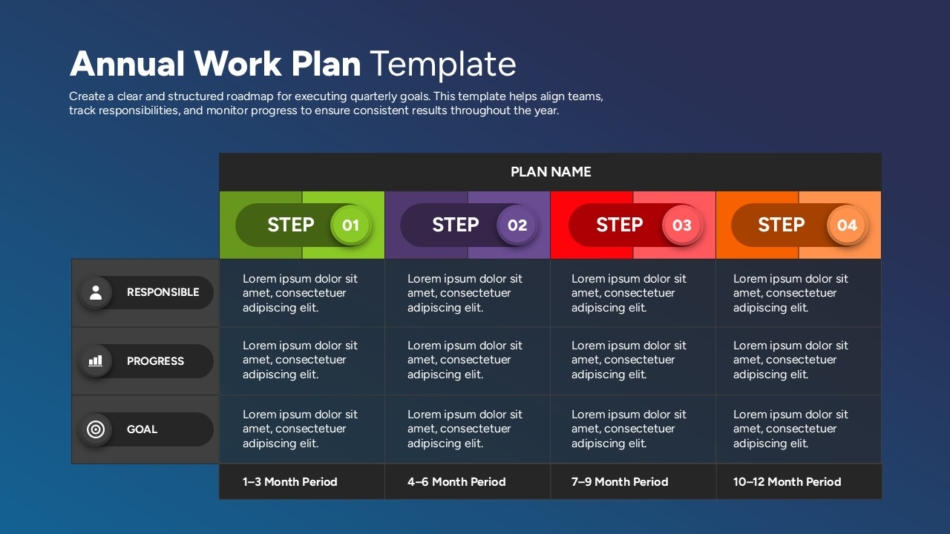
Annual Work Plan Template for PowerPoint & Google Slides

Annual planning becomes easier when priorities are mapped visually across months or quarters. 

Best for: 

  • Strategic planning 
  • Team goal setting 
  • Progress reporting
An Image That Shows Annual Work Plan Template for PowerPoint & Google Slides

Benefits of Using Timeline Templates in Professional Presentations

Using a Google Slides timeline template offers several advantages:

Improved Team Alignment

Everyone sees the same plan, reducing misunderstandings.

Faster Decision-Making

Leaders can quickly assess timing and dependencies.

Better Stakeholder Visibility

Progress is clear without lengthy explanations.

Reusable Structure

Timeline slides can be updated and reused for future presentations.

Timeline Templates Across Common Scenarios

Business Planning 

  • Product launches 
  • Revenue milestones 
  • Strategic initiatives 

Marketing 

  • Campaign schedules 
  • Content production 
  • Performance reviews 

Training and Onboarding 

  • Learning paths 
  • Employee onboarding 
  • Skill development programs 

Reporting 

  • Quarterly updates 
  • Annual summaries 
  • Board presentations 

Free vs Paid Google Slides Timeline Templates

A Google Slides template free option works well for simple timelines with minimal customization. These templates are useful for quick internal presentations. 

Professionally designed templates, however, offer: 

  • Better visual hierarchy 
  • Consistent spacing and alignment 
  • Dedicated sections for labels and icons

This helps maintain clarity in complex or high-stakes presentations.

Practical Tips for Using Timeline Templates

  • Keep date formats consistent
  • Highlight current phases with contrast 
  • Avoid overcrowding the timeline 
  • Use icons to add quick context 

Final Thoughts: Turning Plans Into Clear Visual Stories

A well-designed Google Slides timeline template transforms complex schedules into visuals that are easy to understand and discuss. Whether planning a marketing campaign, managing finances, onboarding clients, or setting annual goals, timeline slides help teams stay aligned and focused.

By choosing templates with clear structure and flexible design, professionals can communicate timelines effectively in both Google Slides and PowerPoint. The right timeline does more than show dates—it guides understanding, supports decisions, and moves teams forward with confidence.

See more